> ## Documentation Index
> Fetch the complete documentation index at: https://captions.ai/llms.txt
> Use this file to discover all available pages before exploring further.
# Cappy — your AI text companion
> Chat with Cappy, the Captions AI video editor you control by text message — send clips or ideas and refine your video through a simple text conversation.
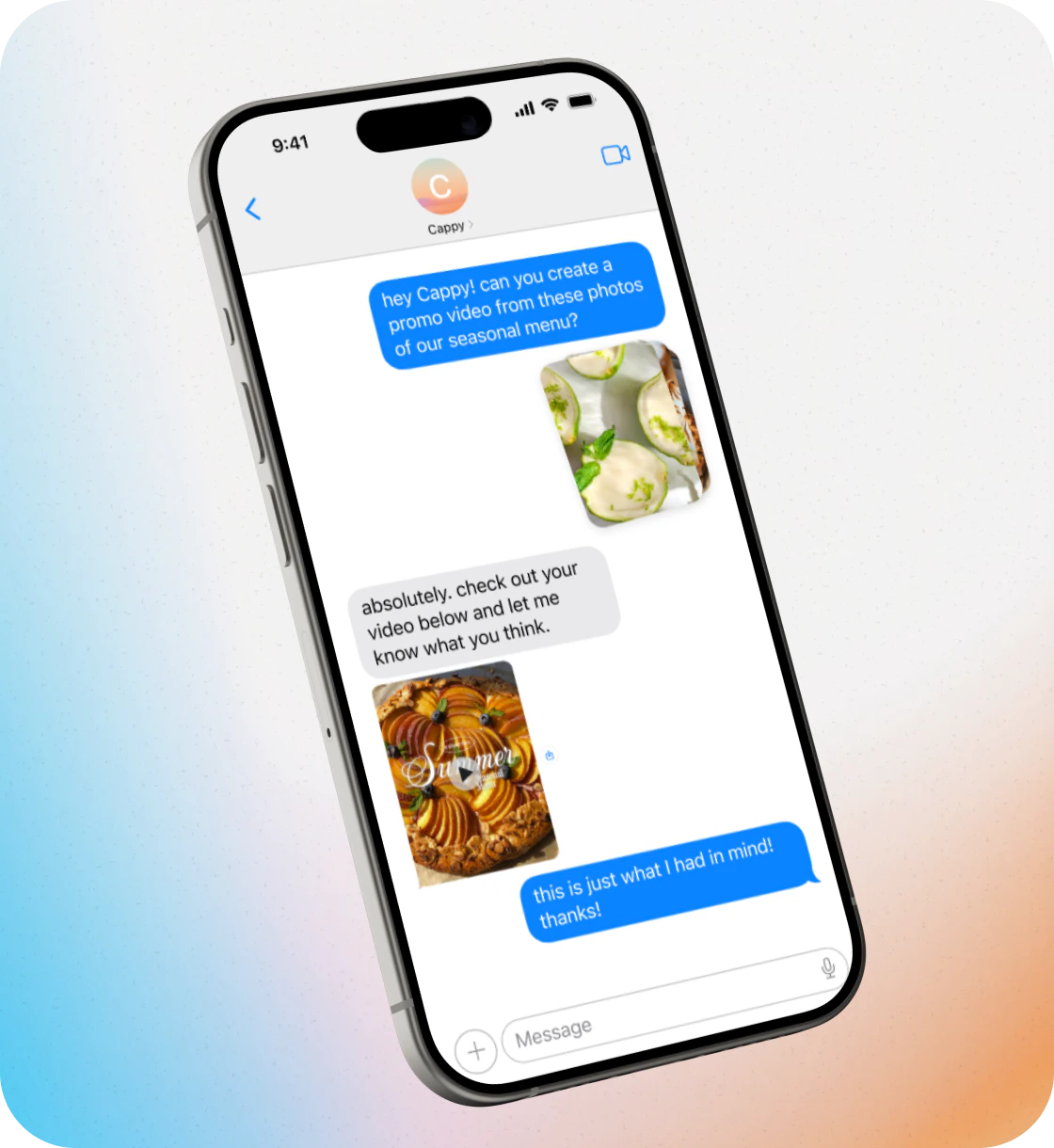
Cappy is the first AI video editor that lets you edit videos by sending text messages. There’s nothing to download or learn. All you need to do is send clips, photos, or an idea to get started, then text back and forth with Cappy to refine your video.
 ## How to start a conversation
Go to [captions.ai/features/text-to-edit](https://captions.ai/features/text-to-edit) in your browser and click ‘Text Cappy’ to send your first message and start editing.
Send video clips, photos, a voice note, article, or just a text description. Cappy works with whatever you have.
Tell Cappy the kind of video you’re looking to make. Some examples:
* “Edit this into a high energy TiKTok with jump cuts, bold captions, and upbeat music”
* “Make a weekly specials video from these food photos for my restaurant”
* “Turn today’s news into a narrated video with generated visuals and captions”
Cappy will create a fully edited video with cuts, pacing, captions, and visuals based on your instructions.
Text Cappy with feedback to improve the video. For example:
* “Make this faster, add captions, and quick cuts”
* “Add some upbeat hip hop music”
* “Include a strong hook at the beginning”
You can keep chatting with Cappy until it looks exactly how you want.
Once you’re happy with the result, save the video to your phone and share it!
## Frequently Asked Questions
Cappy is free to try for a limited time. Just text to get started.
If you need more control over your edits, you can use Captions for more advanced features.
Just your phone. Then, just share what you’re trying to create with Cappy. You can start with video clips, photos, a voice note, or even just a description of what you want. Cappy will work with whatever you have.
Absolutely—that's the whole point. Text back with what you want to change and Cappy will continue working on it until it's exactly how you want it.
Cappy is the AI video maker built for anyone who needs great video but doesn't have the time, budget, or headspace to figure out how to edit. Whether you're running a business, building a brand, or just trying to show up more consistently—Cappy makes it possible.
Most videos are ready within a few minutes. More complex edits may take longer.
Yes. You can start with just an idea, and Cappy can create a video from scratch.
Yes. Once your video is ready, you can save it to your device and share it.
No. Cappy works through text messaging—there’s nothing to download.
## How to start a conversation
Go to [captions.ai/features/text-to-edit](https://captions.ai/features/text-to-edit) in your browser and click ‘Text Cappy’ to send your first message and start editing.
Send video clips, photos, a voice note, article, or just a text description. Cappy works with whatever you have.
Tell Cappy the kind of video you’re looking to make. Some examples:
* “Edit this into a high energy TiKTok with jump cuts, bold captions, and upbeat music”
* “Make a weekly specials video from these food photos for my restaurant”
* “Turn today’s news into a narrated video with generated visuals and captions”
Cappy will create a fully edited video with cuts, pacing, captions, and visuals based on your instructions.
Text Cappy with feedback to improve the video. For example:
* “Make this faster, add captions, and quick cuts”
* “Add some upbeat hip hop music”
* “Include a strong hook at the beginning”
You can keep chatting with Cappy until it looks exactly how you want.
Once you’re happy with the result, save the video to your phone and share it!
## Frequently Asked Questions
Cappy is free to try for a limited time. Just text to get started.
If you need more control over your edits, you can use Captions for more advanced features.
Just your phone. Then, just share what you’re trying to create with Cappy. You can start with video clips, photos, a voice note, or even just a description of what you want. Cappy will work with whatever you have.
Absolutely—that's the whole point. Text back with what you want to change and Cappy will continue working on it until it's exactly how you want it.
Cappy is the AI video maker built for anyone who needs great video but doesn't have the time, budget, or headspace to figure out how to edit. Whether you're running a business, building a brand, or just trying to show up more consistently—Cappy makes it possible.
Most videos are ready within a few minutes. More complex edits may take longer.
Yes. You can start with just an idea, and Cappy can create a video from scratch.
Yes. Once your video is ready, you can save it to your device and share it.
No. Cappy works through text messaging—there’s nothing to download.