> ## Documentation Index
> Fetch the complete documentation index at: https://captions.ai/llms.txt
> Use this file to discover all available pages before exploring further.
# Music Tracks in Captions
> Generate AI music tracks or import your own audio to score Captions video projects. Adjust volume, enable ducking, and choose Soundraw or Udio models.
## Overview
Benefits of adding a music track to your video:
* **Instant emotional impact** – Sets the tone quickly and draws viewers in.
* **Better retention** – Keeps people watching by adding rhythm and pacing.
* **Increased shareability** – Trending tracks can make your video feel relevant and boost shares.
* **Stronger storytelling** – Enhances key moments and creates a more cohesive narrative.
* **Higher perceived quality** – Makes simple videos feel more polished and professional.
* **Algorithm boost** – Some social platforms may favor videos with popular sounds.
* **Defines brand personality** – Music choice helps communicate your brand’s vibe and style.
## How It Works
### Generate a Music Track
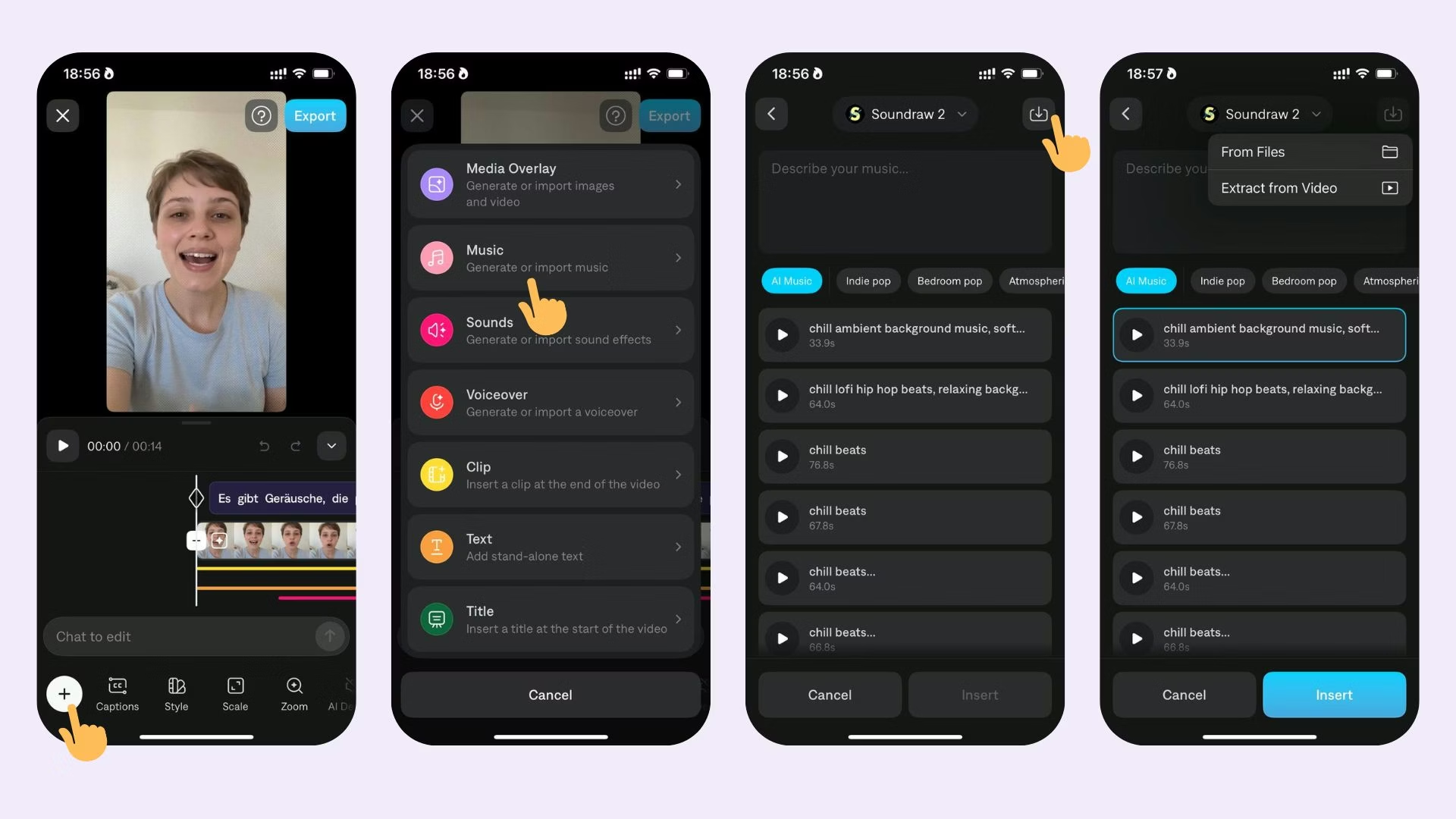
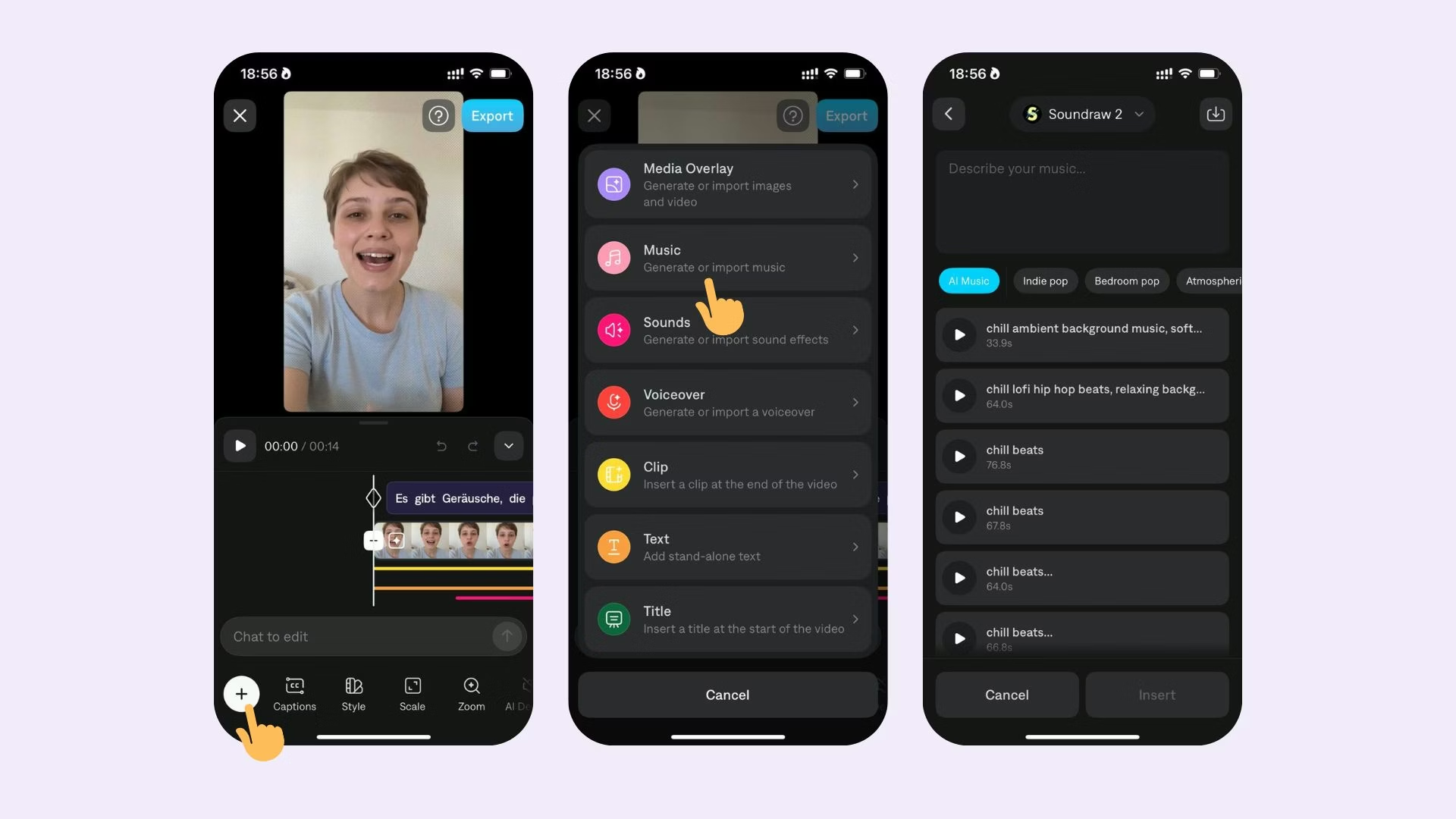 To generate a music track for your project:
1. Select **Music**
2. Choose an existing track or generate your own with a prompt
When importing, you can import from a file on your device or from another Captions project
To generate a music track for your project:
1. Select **Music**
2. Choose an existing track or generate your own with a prompt
When importing, you can import from a file on your device or from another Captions project
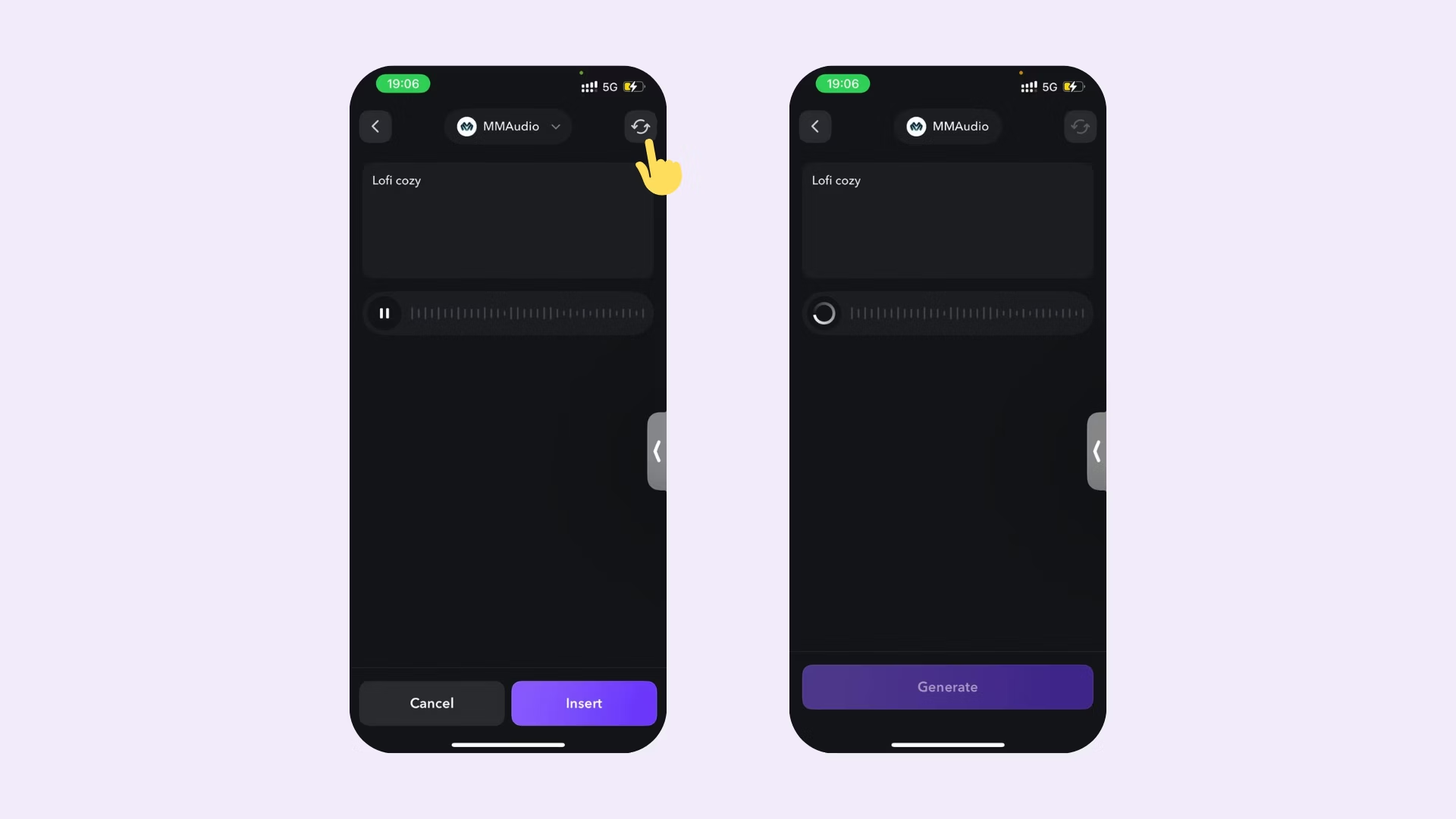
 ### Regenerate a Music Track
After you've generated a music track, you can easily regenerate a music track by selecting the regenerate button.
### Regenerate a Music Track
After you've generated a music track, you can easily regenerate a music track by selecting the regenerate button.
 ### Edit Music
To edit your music, choose from the following options:
* **Volume**: Adjust the volume up or down
* **Ducking**: The volume of the music will automatically adjust when someone is speaking
* **Delete**: Tap to delete your track.
## Frequently Asked Questions
Yes, all music genereated can be used for commercial use. Please read more in our [Terms and Conditions](http://captions.ai/legal/terms).
Yes, it is possible to import music track from your device or from another Captions project.
For generating music tracks, Captions supports 2 integrations with different AI models:
* Soundraw 2 (soundraw)
* Udio V1.5 (Udio)
### Edit Music
To edit your music, choose from the following options:
* **Volume**: Adjust the volume up or down
* **Ducking**: The volume of the music will automatically adjust when someone is speaking
* **Delete**: Tap to delete your track.
## Frequently Asked Questions
Yes, all music genereated can be used for commercial use. Please read more in our [Terms and Conditions](http://captions.ai/legal/terms).
Yes, it is possible to import music track from your device or from another Captions project.
For generating music tracks, Captions supports 2 integrations with different AI models:
* Soundraw 2 (soundraw)
* Udio V1.5 (Udio)