> ## Documentation Index
> Fetch the complete documentation index at: https://captions.ai/llms.txt
> Use this file to discover all available pages before exploring further.
# Hide & Delete Captions
> Hide captions to export a clean video, or permanently delete them to add your own manually. Available on iOS, web, and Android in the Captions app.
# Hide or Delete Caption Text from Your Videos
## Hide captions
To hide captions, simply tap on the phrase and tap **Hide**.
To hide individual words, see [Word Effects](/help/docs/captions/word-effects)
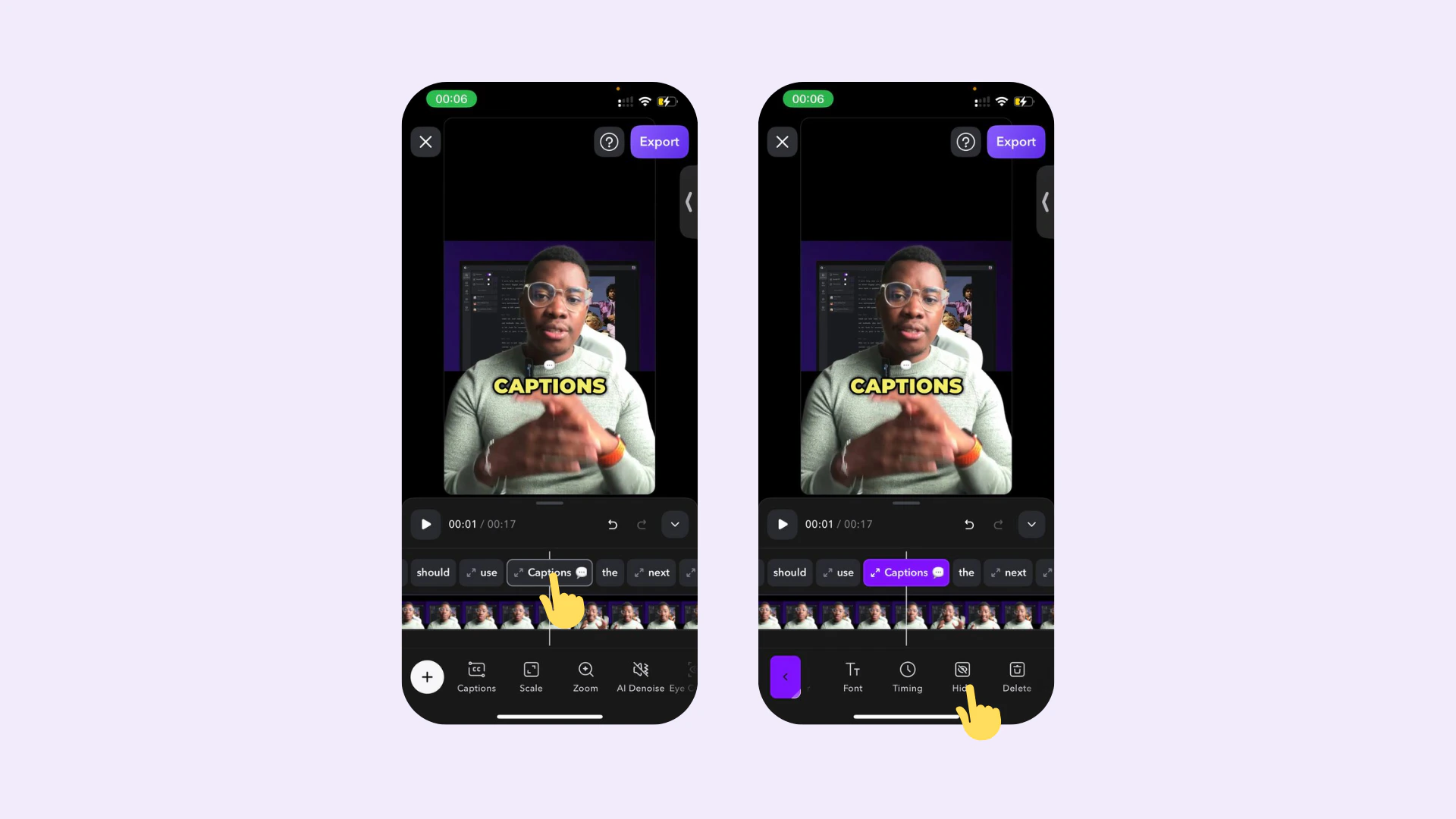 To hide all the generated captions, simply click **Hide All Captions**.
 Coming soon to [Android](/help/docs/app/android).
## Delete captions
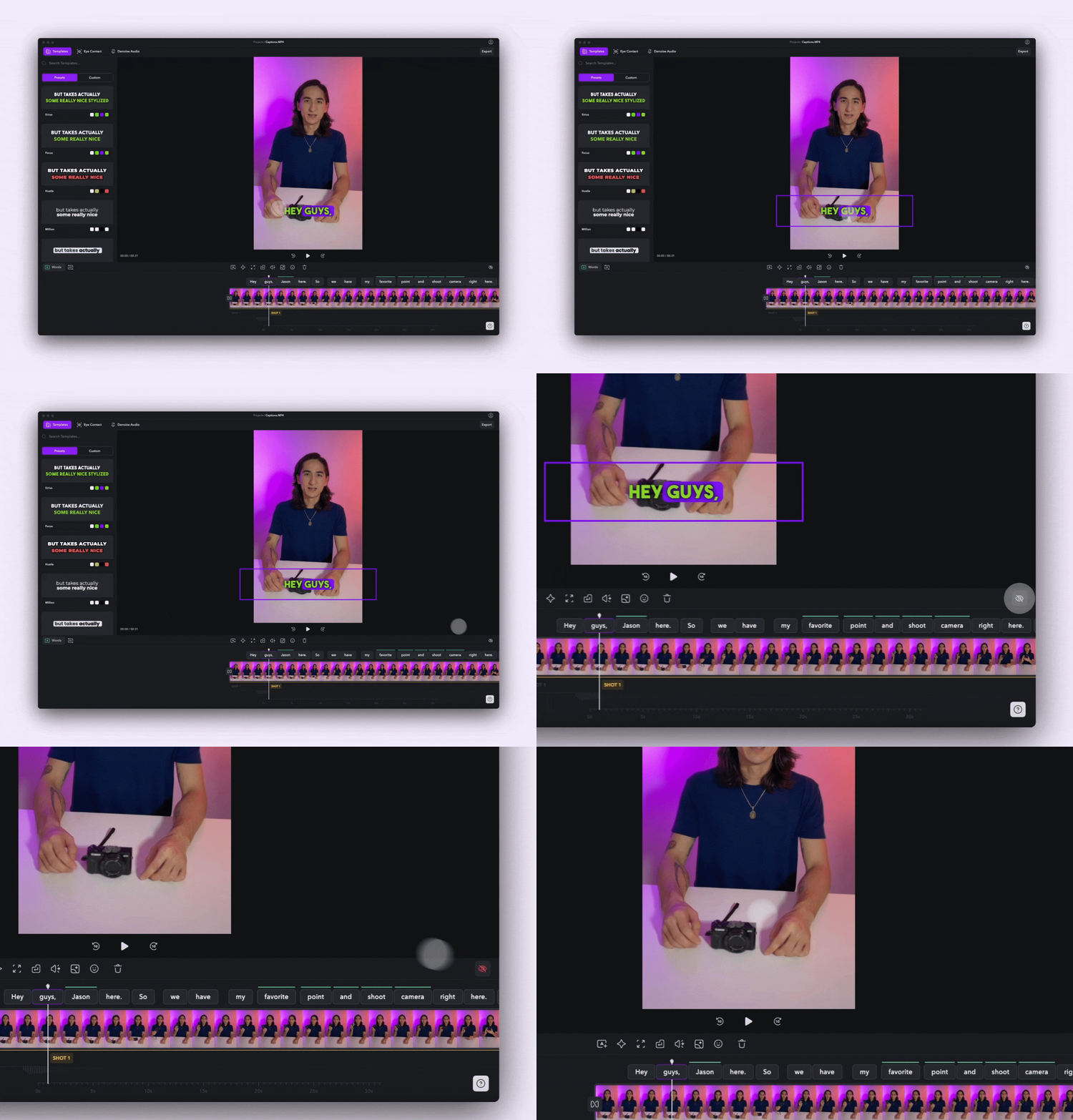
To delete captions, simply tap on the phrase and tap **Delete**.
To delete individual words, see [Word Effects](/help/docs/captions/word-effects)
Coming soon to [Android](/help/docs/app/android).
## Delete captions
To delete captions, simply tap on the phrase and tap **Delete**.
To delete individual words, see [Word Effects](/help/docs/captions/word-effects)
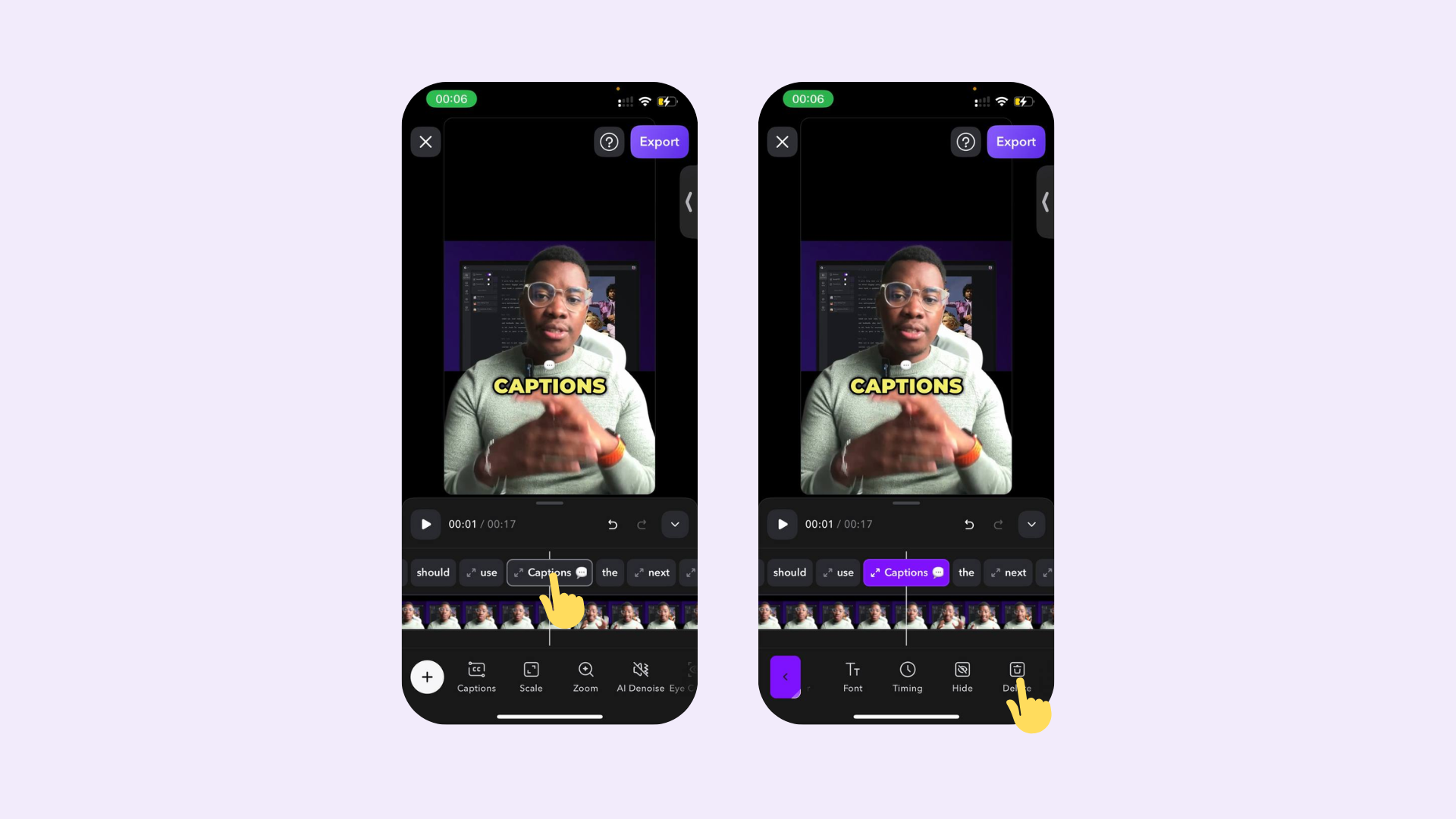 To delete captions, simply choose a caption and click on **Delete Words**.
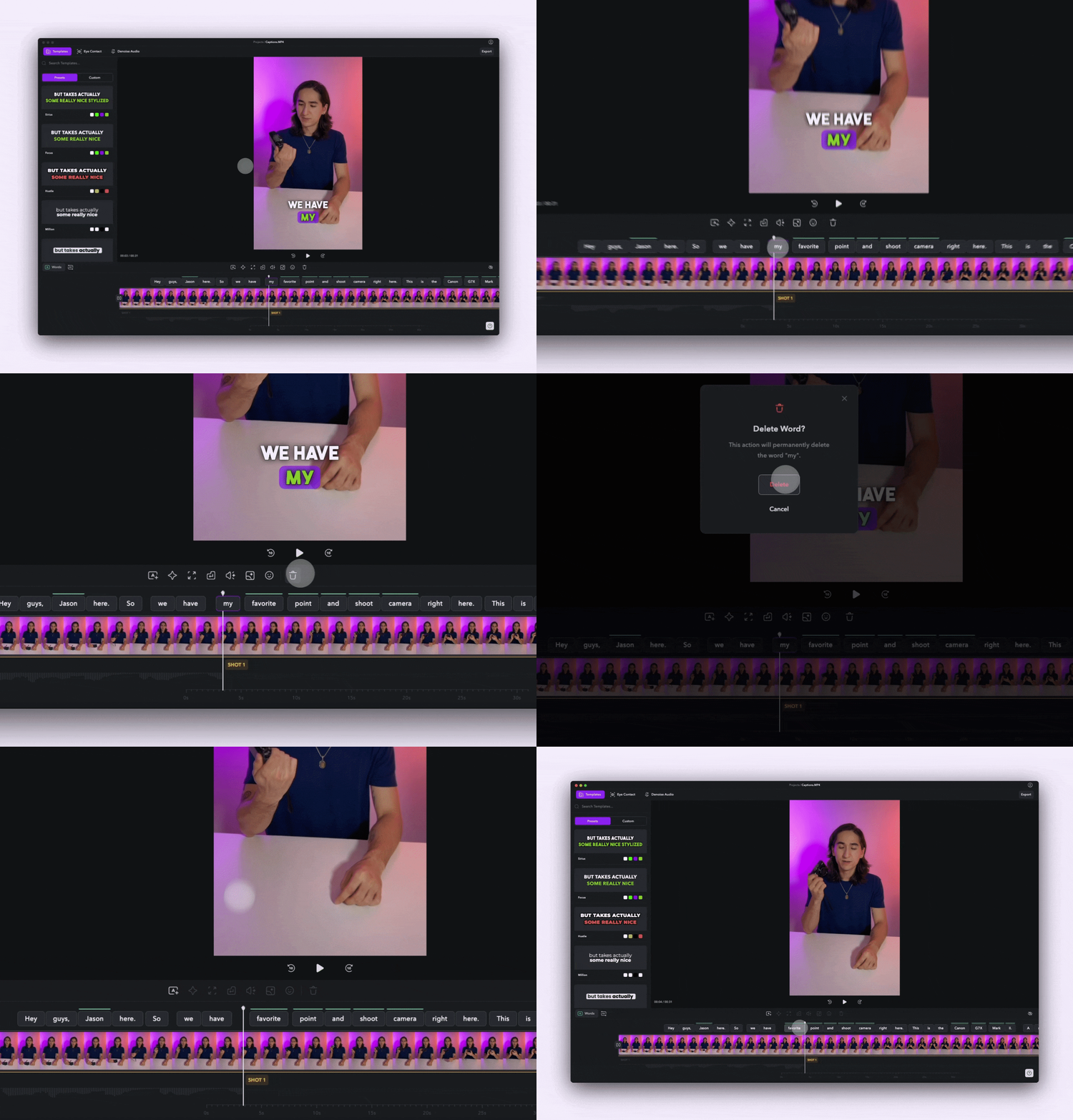 To delete captions, tap on the word and tap **Delete**.