> ## Documentation Index
> Fetch the complete documentation index at: https://captions.ai/llms.txt
> Use this file to discover all available pages before exploring further.
# Reordenar Tomas
> Reordena tomas en la línea de tiempo de tu proyecto
**¿Quién puede usar esta función?**
👤 Clientes en todos los planes: [Free, Pro, Max, Scale](/help/docs/es/subscriptions)
📱 Clientes en [iOS](/help/docs/es/app/ios)
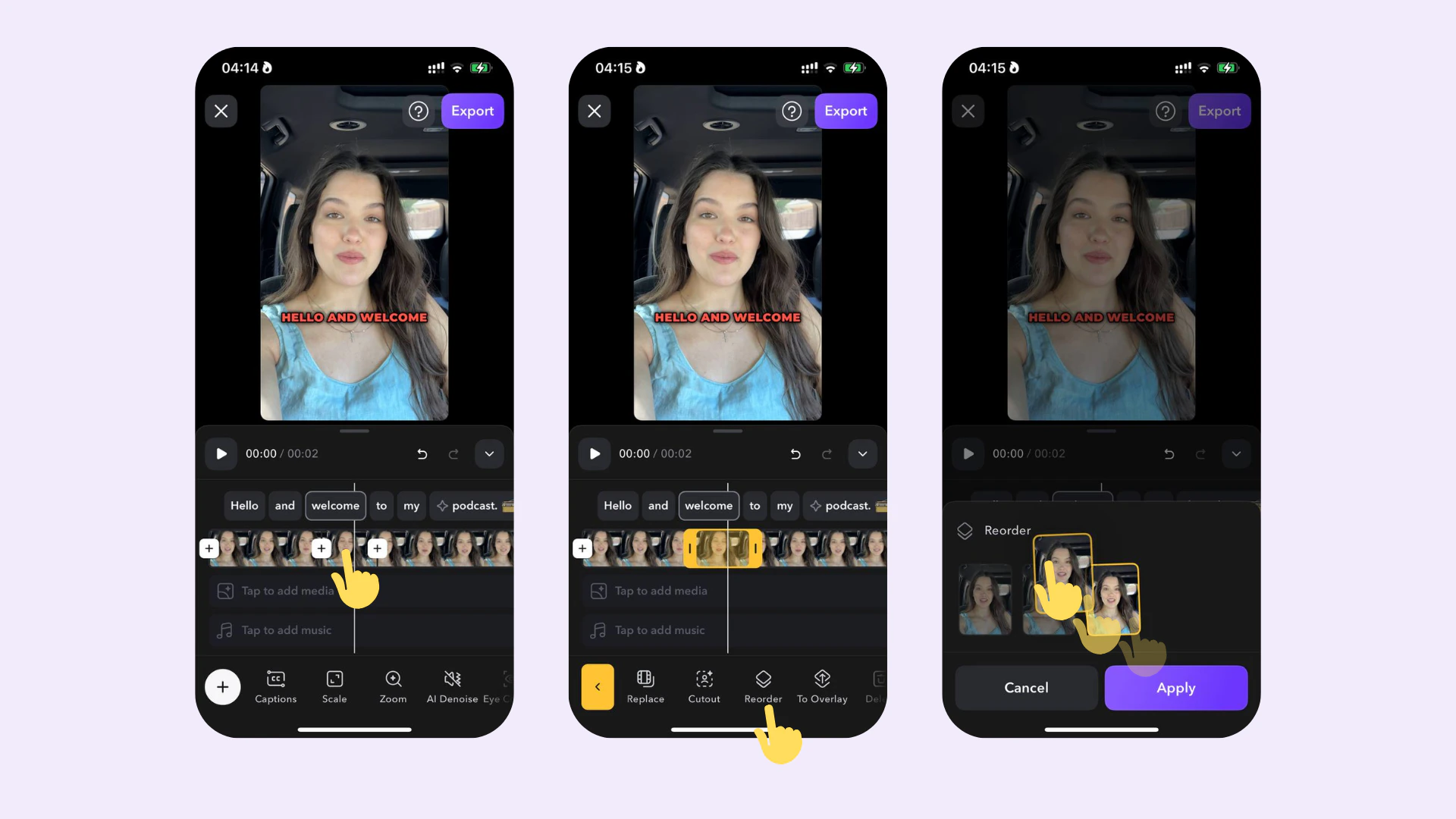 ## Cómo funciona
Para ajustar el orden de una toma:
1. Toca la toma en la línea de tiempo
2. Toca **Reordenar**
3. Reorganiza la toma arrastrándola hacia adelante o hacia atrás
## Cómo funciona
Para ajustar el orden de una toma:
1. Toca la toma en la línea de tiempo
2. Toca **Reordenar**
3. Reorganiza la toma arrastrándola hacia adelante o hacia atrás