> ## Documentation Index
> Fetch the complete documentation index at: https://captions.ai/llms.txt
> Use this file to discover all available pages before exploring further.
# Dividir y fusionar clips
## Overview
Divide y fusione sus clips.
## Split clip
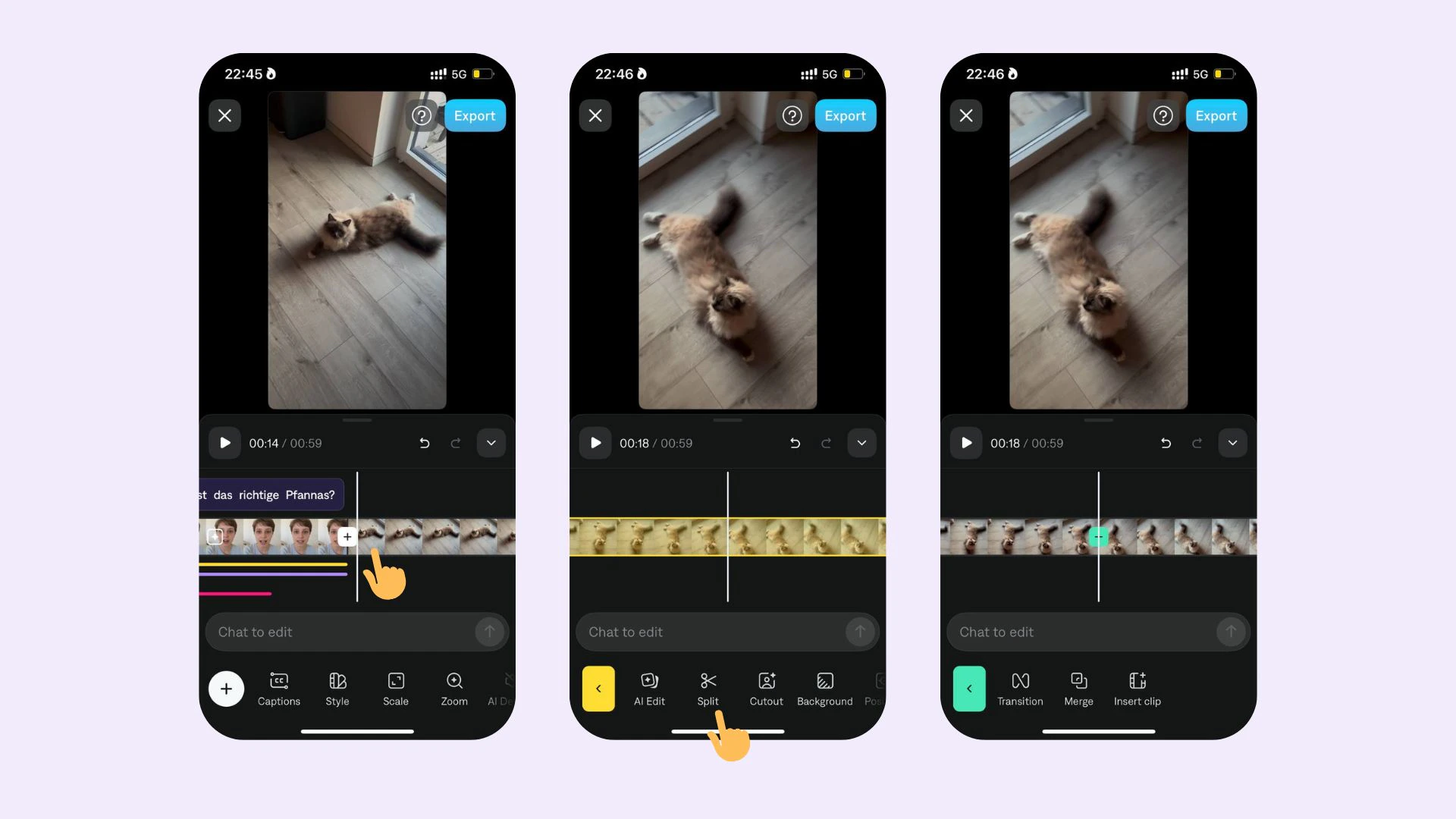 Para dividir un clip:
1. Toque o haga clic en la línea de tiempo
2. Desplácese hasta la ubicación exacta donde desea dividir su clip
3. Seleccione **Dividir**
## Merge clips
Para dividir un clip:
1. Toque o haga clic en la línea de tiempo
2. Desplácese hasta la ubicación exacta donde desea dividir su clip
3. Seleccione **Dividir**
## Merge clips
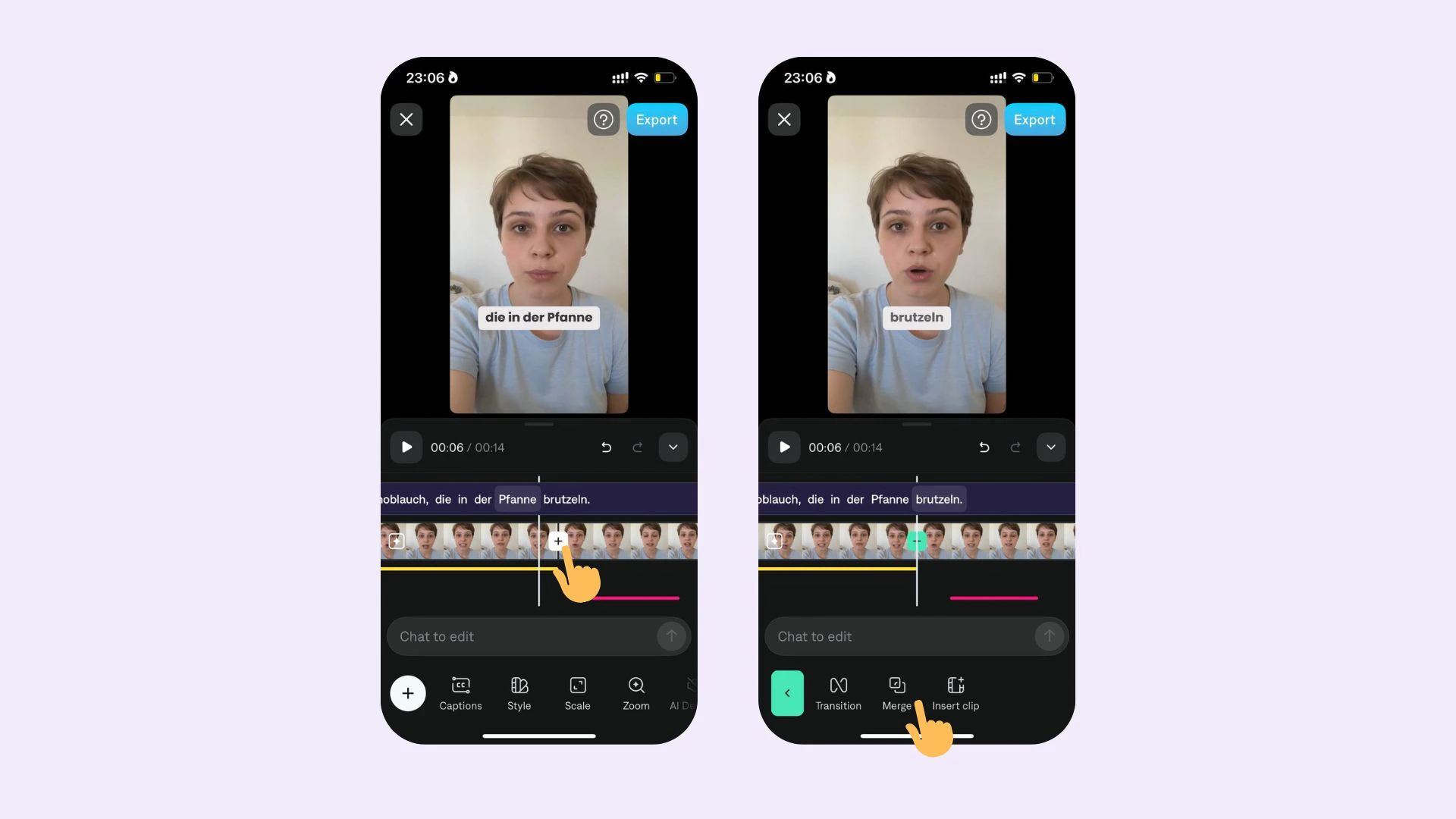 Para fusionar dos clips:
1. Toque en la línea de tiempo
2. Toque en el punto de transición
3. Toque **Fusionar**
Para fusionar dos clips:
1. Toque en la línea de tiempo
2. Toque en el punto de transición
3. Toque **Fusionar**