> ## Documentation Index
> Fetch the complete documentation index at: https://captions.ai/llms.txt
> Use this file to discover all available pages before exploring further.
# Reordenar Shots
> Reordene shots na timeline do seu projeto
**Quem pode usar este recurso?**
👤 Clientes em todos os planos: [Free, Pro, Max, Scale](/help/docs/pt/subscriptions)
📱 Clientes no [iOS](/help/docs/pt/app/ios)
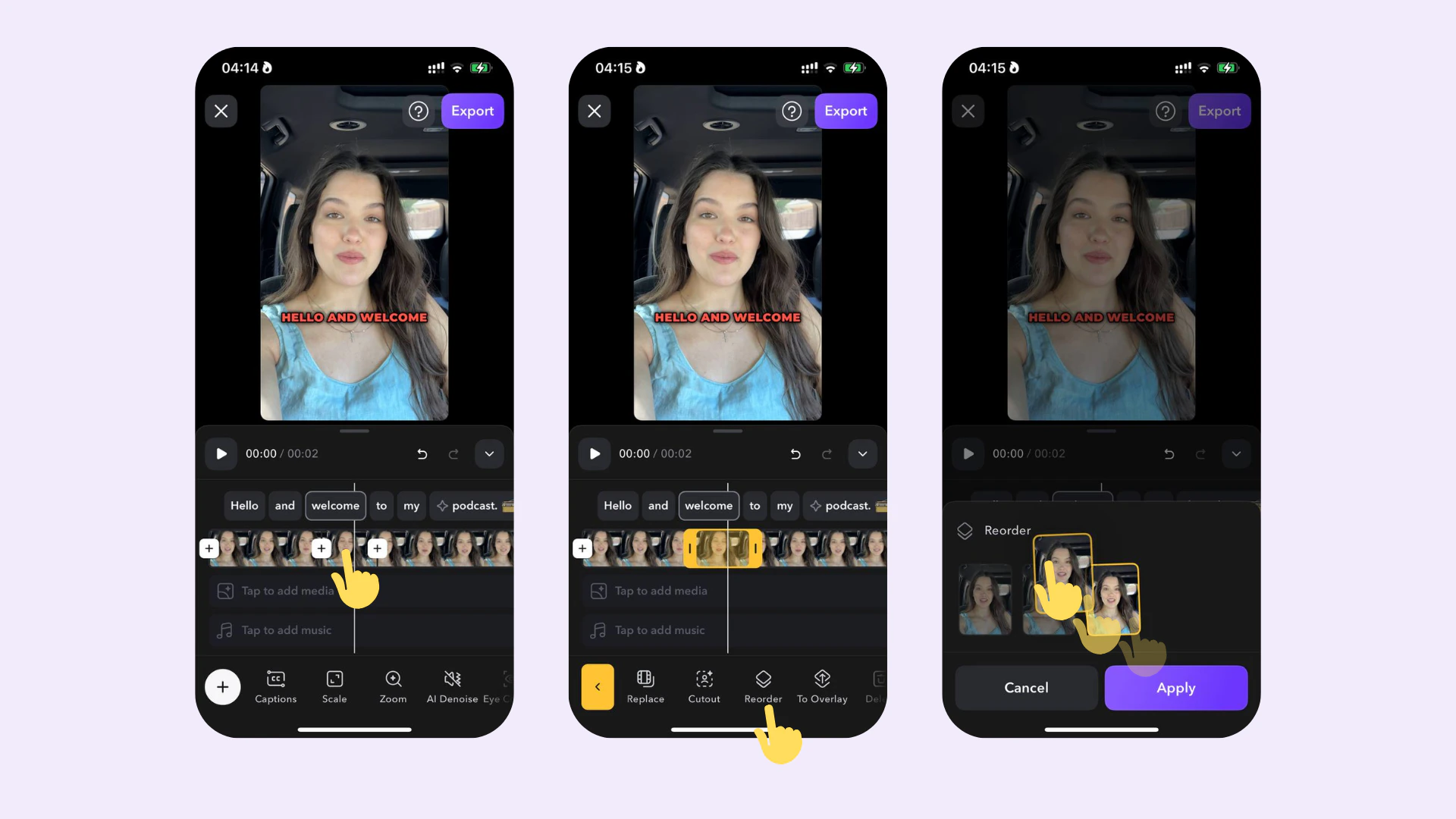 ## Como funciona
Para ajustar a ordem de um shot:
1. Toque no shot na timeline
2. Toque em **Reorder**
3. Reorganize o shot arrastando-o para frente ou para trás
## Como funciona
Para ajustar a ordem de um shot:
1. Toque no shot na timeline
2. Toque em **Reorder**
3. Reorganize o shot arrastando-o para frente ou para trás