> ## Documentation Index
> Fetch the complete documentation index at: https://captions.ai/llms.txt
> Use this file to discover all available pages before exploring further.
# How to Delete Your Captions Account Permanently
> Learn how to permanently delete your Captions account. Understand what happens to your data, projects, and subscription when you close your account on iPhone, Android, or desktop.
## Important
Before you delete your account, please know that:
* Deleting your account is permanent and it is not possible to recover your account
* If you have an active subscription, deleting your account will not automatically cancel your subscription. Learn how to [cancel your subscription](/help/docs/subscriptions)
* All in-app projects will be deleted. Any projects you've exported will remain on your device.
## Instructions
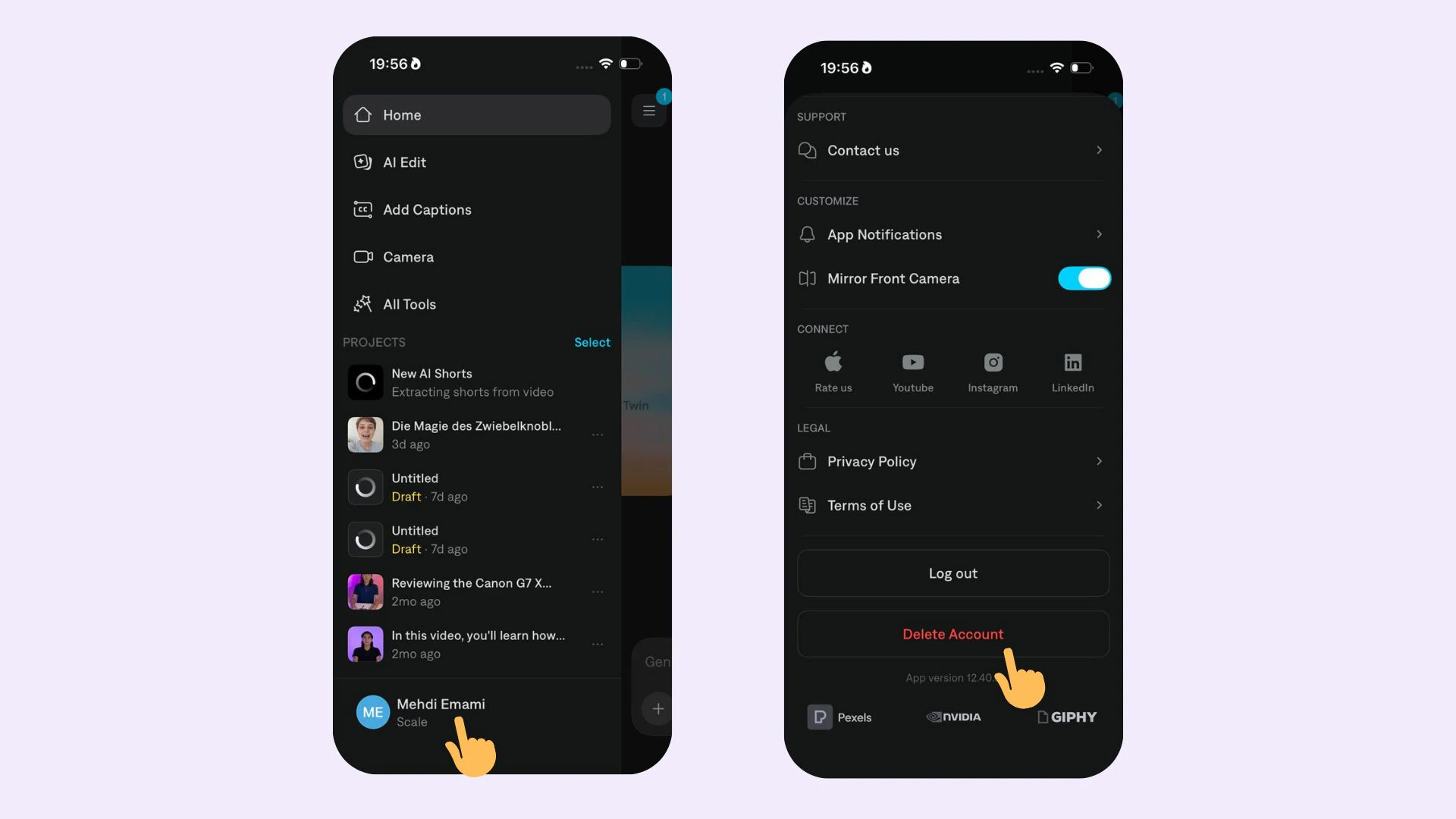 To delete your account, navigate to your Profile on Web, iPhone, or Android and select **Delete Account.**