> ## Documentation Index
> Fetch the complete documentation index at: https://captions.ai/llms.txt
> Use this file to discover all available pages before exploring further.
# Manage Audio Tracks in Video Overlays
> Extract audio from video overlay tracks in Captions to independently adjust volume, mute, and manage sound for cleaner multi-track video editing.
## Extract Audio From Video Tracks
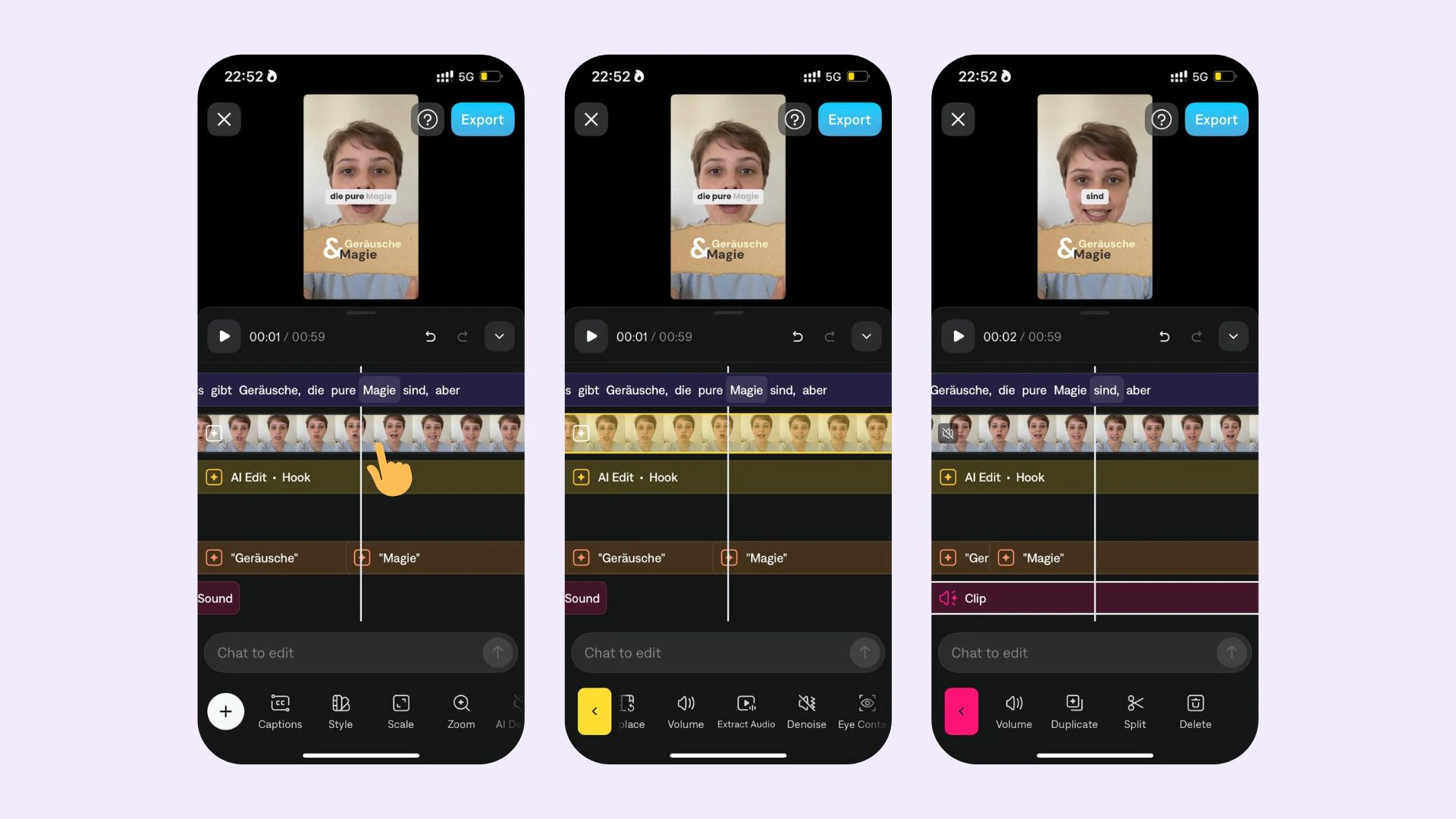
You can extract audio from added video tracks in your project and granularly control the volume/mute any track with sounds. To extract audio from a video track:
1. Tap on your video track
2. Tap on **Extract Audio**
3. Now you can granularly control the volume/mute any track with sounds