> ## Documentation Index
> Fetch the complete documentation index at: https://captions.ai/llms.txt
> Use this file to discover all available pages before exploring further.
# Add Automatic Video Titles
> Automatically generate a title at the start of your video in Captions based on your captions. Pick from style options, edit text, or remove the title.
# Generate and Display Video Titles Automatically
## How It Works
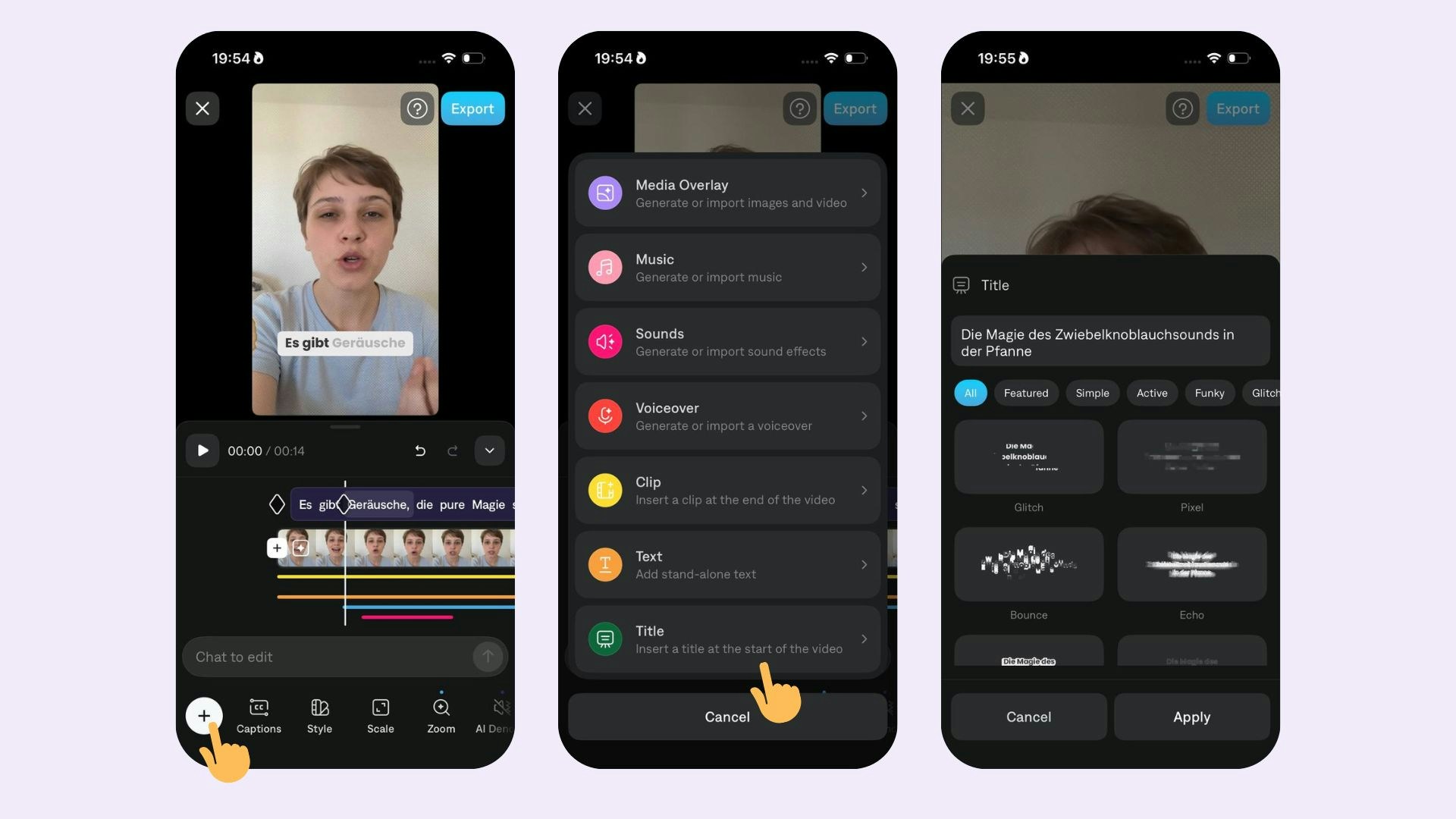 ### Add a Title
To add a title:
1. Select **Title**, a title will automatically be generated based on your captions.
2. Choose from a list of options and **Apply**
### Edit Style
Tap on any of the style options:
* **Edit title text:** Tap on the text box and type your updated title.
* **Remove title:** Choose **None**
## Tips
* When you add a title, any captions that overlap will be hidden. Simply tap on the words and adjust the visibility to unhide them.
* To change the color of the title, first change the color of all of your captions in [Style](/help/docs/captions/styles), then apply the Title
### Add a Title
To add a title:
1. Select **Title**, a title will automatically be generated based on your captions.
2. Choose from a list of options and **Apply**
### Edit Style
Tap on any of the style options:
* **Edit title text:** Tap on the text box and type your updated title.
* **Remove title:** Choose **None**
## Tips
* When you add a title, any captions that overlap will be hidden. Simply tap on the words and adjust the visibility to unhide them.
* To change the color of the title, first change the color of all of your captions in [Style](/help/docs/captions/styles), then apply the Title