

How to get the perfect take, no matter where you're looking
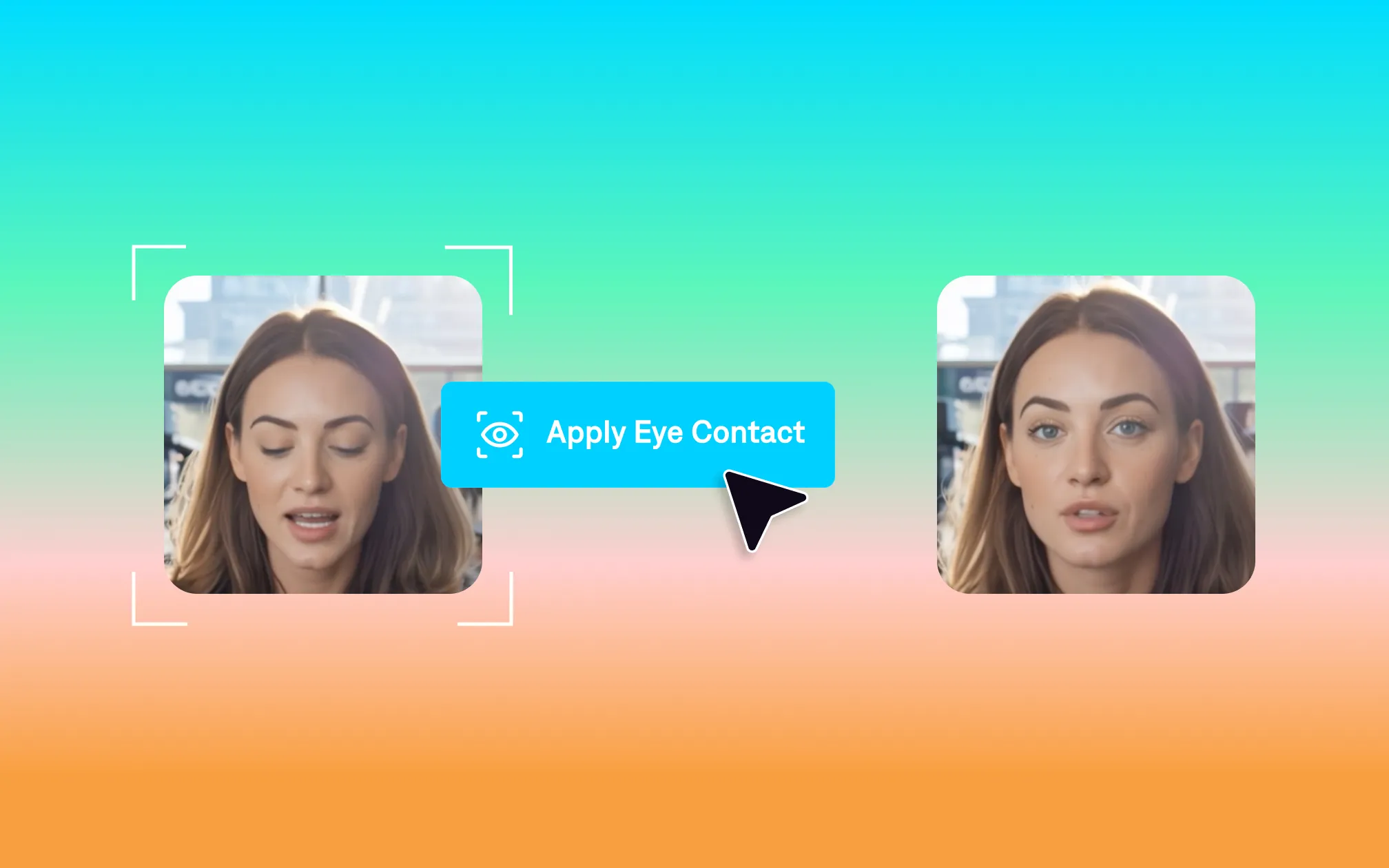
You know when you finally nail your script—good energy, no awkward pauses—only to realize your eye contact was a mess?
Yah, us too. Maintaining steady eye contact is important for delivery, but it’s sure hard to get right. Sometimes we need to look at our notes, or we glance off-screen, or we just get a bit fidgety while filming.
In the past, you’d have to just keep reshooting until you got it perfect. These days, there’s a much better solution: just fix your eye contact later.
With tools like Captions’ AI eye contact feature, you can correct inconsistent eye contact in seconds. So stop worrying about the perfect take, and start moving faster.
Why eye contact matters
Eye contact is important for any kind of visual communication, in real life or sharing videos online. Strong eye contact helps engage viewers and build a deeper connection. It also helps you convey confidence and earn more trust.
Even for informal videos, it’s worth taking the time to correct your eye contact. Luckily, AI tools can solve common filming issues in no time at all.
How AI eye contact tools work
With AI, you record whatever take you get, and fix common production errors later. That means you don’t have to stress about getting the angle exactly right. You can also sneak more peeks at your script if you need to, without worrying about how it looks.
Instead of hiring someone to manually correct your footage, just use a tool like Captions.
Here’s how it works:
Upload your footage or record a new video directly in Captions. There’s even a built-in teleprompter if you want to see your script as you record.
Go to the editing panel, and click “Eye contact” at the bottom of the screen. Captions will analyze your video to find unintentional breaks or glances, then smooth those spots out.
That’s it!
And don’t worry: your footage will still look organic, with natural delivery. Captions fixes for quality, but it doesn’t add that weird, glassy-eye look you sometimes see with filters. It doesn’t make your footage overly perfect, either. Your video will still include details like blinks or intentional head movements that help give the clip personality.

Get started in Captions
Teleprompter apps versus AI eye contact tools
Teleprompters solve for a different pain point than AI eye contact tools, so you might actually want to use both. Using a teleprompter is helpful when you don’t have time to memorize your script or worry about getting your lines right. With a great teleprompter app or in-camera teleprompter, it’s a lot easier to read your lines and deliver a great performance.
But getting your script right is only part of the equation. And even for seasoned creators, it’s tough to read lines without breaking eye contact at times. So even with the best tools, your eye contact can get a bit murky or track to the wrong part of the screen. Once you’ve gotten a take you like for audio delivery and overall camera presence, call it quits on recording, and fix the imperfections later on.
Tips for the best results
A few things that make the eye contact correction work better:
Stay as close to forward-facing as you can. The AI works best when your face is mostly toward the camera during recording. If you're reading from something far to the side or below, try to move it closer to the lens.
Make sure your eyes are visible. Low light, heavy glare on glasses, or footage that's too dark can make the tool's job harder. A quick exposure bump before you export can help.
Don't overcorrect. Real eye contact isn't perfectly steady—you blink, you glance away for a beat while you think, your eyes move naturally. The goal is to remove the obvious reading pattern, not to make you look like a statue.
Try it for yourself
If you’ve got “nearly perfect” videos sitting in your camera roll, don’t punish yourself with five more takes. Upload that clip to Captions, run AI eye contact, export… and get right back to new ideas.