

How to make a talking head video that actually looks professional
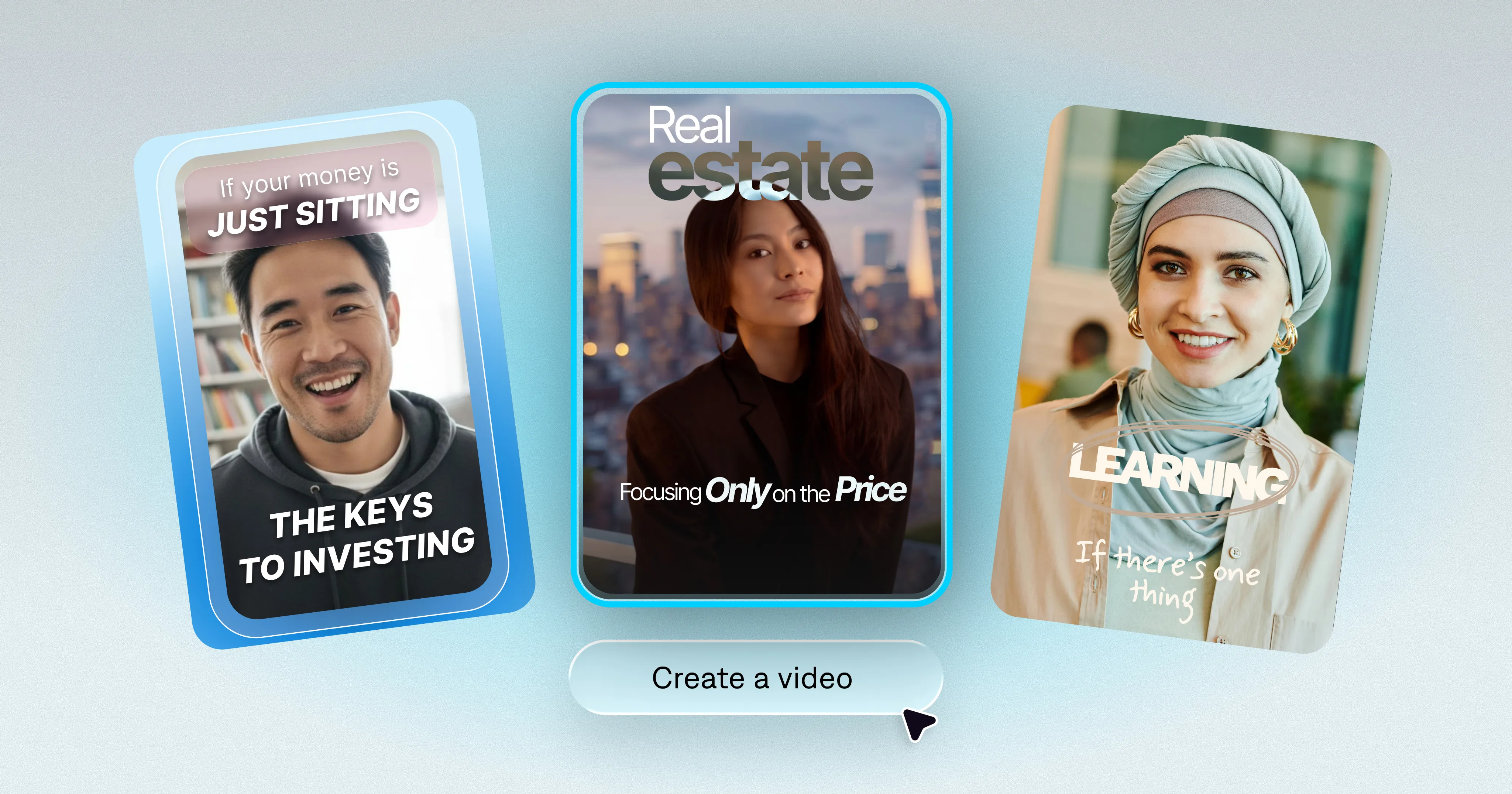
Talking head videos might seem simple, but they can be deceptively hard to pull off. Small details can make the difference between a video that performs, and one people scroll past.
These details matter even more for professional content. Delivery and quality signal credibility and reliability, so you want every video to look like you took it seriously.
This guide covers:
What makes talking head videos perform
How to create the right production setup
Tips for better recording quality
AI tools that make production easier
What are talking head videos?
A talking head video is a short-form video format where a single speaker addresses the camera directly. Videos are typically framed from the chest up.
Talking head videos can help build audience connection and land important storytelling. You’ll often see them used for thought leadership, lifestyle content and expert advice.
What makes a talking head video successful?
Audiences look for four main qualities in talking head videos:
Eye contact: Looking at the viewer, rather than a script or away from camera
Audio quality: Clear, consistent sound without echo or background noise
Delivery pace: Speaking at a natural, confident rhythm rather than rushing or halting
Consistent framing: A stable, well-lit shot that doesn't distract from what you're saying
Think about it this way: You’re asking people to spend time on your content. A high-quality video shows that you respect their time and is more likely to hold their attention.
The setup: What you actually need (and what you don't)
You don’t need the perfect tech setup or a production team. Here's what actually matters:
Camera
Your phone is fine. Mount it at eye level, and orient it to match the format you’re most likely to use (horizontal or vertical).
Audio
This is where most talking head videos fail, and it's the easiest fix. The rule: If you can hear the room in the audio, your viewers will hear it too. Built-in phone microphones pick up echoes and ambient noise. A $20–$30 lavalier microphone (clip-on) plugged into your phone will immediately make you sound better. If you're recording at a desk, a USB microphone is even better.
Lighting
Natural light from a window is free and usually excellent. Face the window; don't have it behind you. If you're filming in a space without good natural light, a basic ring light or a softbox on your desk will do. You're looking for even, shadow-free light on your face. That's it.
Background
Viewers will look at whatever is behind you if it's interesting enough to look at—and that's not what you want. Aim for a simple and uncluttered background, like a plain wall, bookshelf, or tidy workspace.
What to say in a talking head video
Talking head videos are all about your message, so make it matter. You don’t need to write a full script every time, but make sure to plan key points and how you’ll deliver them.
If you’re not sure where to focus, consider the most important thing you need people to take away from your video. Center your script on that topic and make sure there’s a related call to action.
Then, practice the content before you film it. You don’t need to memorize every word, but familiarity will help you look more comfortable on camera. This is especially important for professional videos, where confident delivery signals credibility.
How to film efficiently (without doing ten takes)
Experienced talking head creators use a few habits that make filming faster and less frustrating:
Start rolling before you feel ready. The first 10–20 seconds of a take are usually warm-up. Let the camera run, get into your rhythm, and you’ll settle into it faster than if you keep stopping and restarting.
Don’t stop for mistakes. If you stumble over a word, pause, repeat the sentence, and keep going. You can fix it later. Stopping and restarting resets your energy every time.
Film in shorter segments if the content is long. A 5-minute video doesn’t have to be filmed in a single 5-minute take. Break it into sections and edit them together.
Batch multiple videos in one session. Once you’re set up and warmed up, your second and third videos of the day will be noticeably better than your first.
Which edits matter for professional talking head videos
“Professional” doesn’t mean overproduced. It means paying attention to the right details. With talking head content, you mostly want to remove distractions and make sure the story flows. Here’s what to prioritize:
Cuts. Trim dead air at the start and end of each clip. Remove long pauses, stumbles, and any awkward silences. Tight cuts keep energy up. Viewers don't notice clean cuts; they only notice when the pacing drags.
Sound cleanup. Remove background hums or other distracting noises. Many editing tools have noise reduction features that help with this step. In Captions, it’s called “Denoise.”
Eye contact fixes. Even if you used a teleprompter to record, you probably looked away at some point. AI tools can now correct gaze drift so you appear to look directly at the lens throughout the video.
Pattern interrupts. Add elements like B-roll cutaways or graphic overlays to break visual monotony.
Why talking head videos need captions
Captions are a win-win. They improve both accessibility and engagement. The majority of social media content is watched without sound, and people often skip videos that don’t have captions. Simply adding captions to your videos can help you reach more people than before.
It’s easy to add captions in many video editing tools, and AI can do it automatically. We always recommend adding captions during the editing process rather than using a specific platform’s built-in captions. Dedicated tools tend to provide more accurate captioning and more consistent quality.
Tips to speed up talking head videos with AI
Captions was built with talking head content in mind. You can speed up the entire workflow, from recording to final edits. Here are five features that can save you meaningful time (on top of our namesake captions, of course):
A built-in teleprompter lets you script and record in one place, so your setup stays simple.
Eye contact correction adjusts gaze after you record so your eye contact looks deliberate.
Background noise removal strips hum, echo, and ambient sound without manual audio work.
AI Edit transforms an entire raw video into a stylized edit with just a couple taps.
AI twins remove the need to film at all. Just use your twin to generate new footage from prompts or a script.
Putting it into practice
The best talking head videos don't come from better gear or more takes. They come from a repeatable system that makes you feel comfortable. Lock in your setup, batch your recordings, and let editing tools handle the polish.
Start with one video this week. Use the checklist above, run your footage through Captions, and see what the tools do to the finished product. The first one is always the hardest. The tenth one will feel easy.
