

Video hooks: How to write a scroll-stopping opening
This guide covers tips for writing a strong video hook so people stop scrolling, and lean into viewing.
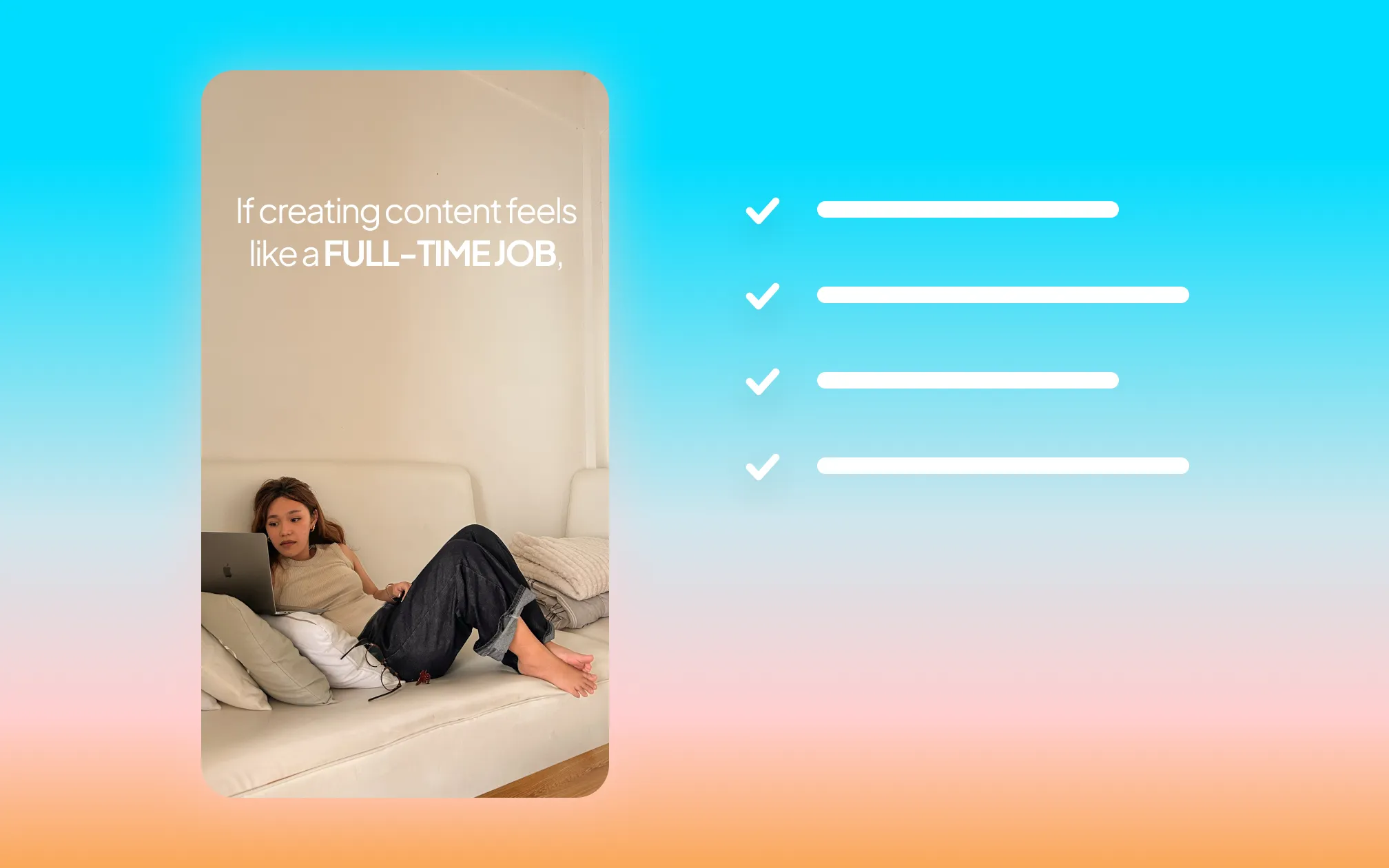
You have about three seconds.
That's how long it takes viewers to decide whether to watch a video, or move on. On platforms like TikTok and YouTube Shorts, people decide even faster—within 1.7 seconds. On long-form YouTube, you get a couple seconds more. Either way, the first moments of your video do more work than any other part of it.
Most creators spend the most time developing the middle portion of their video: the explanation, the story, the value. The hook often gets written last, in a hurry.
We recommend the opposite approach: Write your hook first. Write it deliberately. If you understand what makes hooks work and why, your videos will perform better.
What is a video hook?
A video hook is the opening of your video, typically the first one to three seconds. Its sole job is to make the viewer stop scrolling and keep watching.
Video hooks can be:
Visual, where something unexpected happens on screen before a word is spoken
Verbal, such as a spoken line that creates immediate curiosity
Written, like on-screen text that states a bold claim or question
Some combination of the three above
What hooks can't be is slow, vague, or safe.
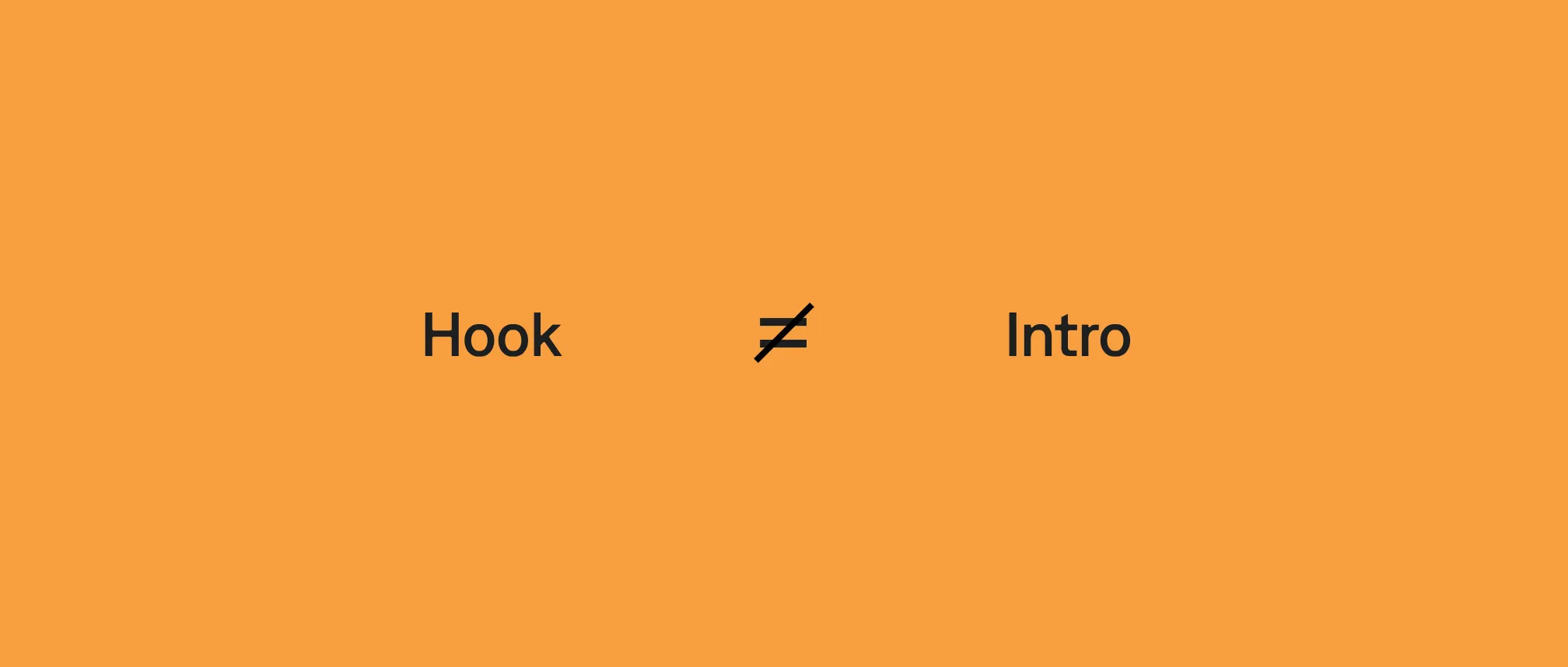
A video hook isn't the same as a video intro. Intros generally tell viewers who you are, what your channel is about, and what they're going to see in a specific video. Hooks are more editorial or evocative. They give people a reason to care about who you are and what you have to say. They get people to stop and watch, before you even get to the "real" content.
What is the 3-second rule in video?
The 3-second rule is simple: If your video doesn't give people a reason to keep watching within the first three seconds, most of them won't keep watching.
This psychological truth has shaped distribution strategies on social media platforms. They evaluate video watch time to decide which videos get more distribution.
Instagram measures whether viewers continue past the three-second mark as a primary ranking signal.
TikTok's algorithm weighs completion rate and early retention heavily.
YouTube measures average view duration and audience retention at every second of your video. The opening has an outsized effect on whether the algorithm distributes the video more broadly.
Early viewer drop-off tells platform algorithms that the content isn't worth watching, which means it's not worth promoting either. So a strong hook is like a gift that keeps giving. It's more likely to retain viewers, which earns you better distribution to reach more viewers.
How does hook performance relate to full video performance?
Strong hook performance disproportionately affects platform success metrics. Watch time is the most important ranking signal across every major video platform. But it's a downstream metric, determined by what happens at the hook.
Consider these two scenarios:
Scenario A: Your hook holds. 80% of viewers make it past the first three seconds. They then watch to 70% completion. The algorithm sees strong early retention, expands distribution, and more people see the video.
Scenario B: Your hook fails. 60% of viewers drop off in the first three seconds. The remaining 40% watch to 70% completion. The overall watch time average is lower, so the algorithm interprets this as weaker content and limits distribution.
Viewers watch to the end when the hook holds them. Strong hooks compound through the entire distribution chain.
What are the different types of video hooks?
There's no single taxonomy for hooks, and it's typically better to mix them up over time so you maintain attention. Here are nine of the most effective and repeatable hook types and examples of do's and don'ts for each.
Hook type | What it is | Why it works |
Question | A specific question the viewer can't help but answer in their head | Creates a mental gap the viewer needs to close, so they stay to hear your answer |
Bold statement | A counterintuitive or surprising claim | Triggers the viewer's desire to confirm, deny, or understand the claim |
Cliffhanger | States that something exists or happened, but withholds the resolution | Opens a loop the brain is compelled to close |
Pain point | Names a specific frustration the viewer recognizes immediately | Creates the feeling of being seen and understood |
Mistake | Tells the viewer they're doing something wrong | Triggers mild anxiety and curiosity, making the viewer think, "Am I making this mistake?" |
Statistic | Leads with a specific number that reframes the topic | Numbers create instant credibility and specificity; surprising stats force re-evaluation |
Visual | Something unexpected happens on screen before any speech | Breaks passive scroll behavior; the brain responds to visual novelty before it processes language |
Relatable | Describes an experience so precisely the viewer says "this is me" | Hyper-specific recognition creates an emotional anchor before a word of value has been delivered |
Pattern interrupt | Breaks what the viewer expects to see next | The brain is wired for novelty, so anything that breaks the expected pattern earns a few extra seconds of attention |
1. The question hook
Ask a question that the viewer can't help but answer in their head. The best question hooks are specific, slightly uncomfortable, and impossible to dismiss without engaging with.
Weak version: "Do you want to grow on social media?" The question doesn't create tension because the answer is obvious. Everyone wants this.
Strong version: "Why do your videos still flop when you're doing everything right?" Now the viewer is considering whether they recognize this experience, and they want the answer.
What makes it work: The question should create a gap the viewer needs to fill. Generic yes-or-no questions don't open gaps. Specific and slightly provocative questions do.
2. The bold statement hook
Make a claim that's surprising or strong enough that the viewer wants to know if it's true, or wants to prove you wrong.
Weak version: "Hooks are really important for your videos." True, obvious, and not interesting.
Strong version: "Your hook is the only part of your video that matters." Overstated? Maybe. But the viewer's immediate reaction ("surely not") is exactly what keeps them watching.
What makes it work: The statement needs to create some friction. Agreement that's too easy produces no engagement. A statement the viewer wants to interrogate keeps them watching.
3. The cliffhanger hook
Open a loop that can only be closed by watching the video. State that something exists, happened, or is coming, but withhold the resolution.
Weak version: "Today I'm going to share some video tips." This tells the viewer what's coming without creating any reason to need it.
Strong version: "I changed one thing about how I open my videos. My views tripled. Here's what it was." Three separate loops opened: what changed, why it worked, and whether the viewer can replicate it.
What makes it work: Curiosity is created by information gaps, not information. Tell the viewer just enough to make the gap feel worth closing.
4. The pain point hook
Name a specific frustration your viewer recognizes immediately. The goal is for them to feel seen within the first two seconds.
Weak version: "Do you struggle with video editing?" Too broad. Almost everyone who makes videos has some difficulty with editing.
Strong version: "You spend three hours editing a video and it gets 47 views. Here's why… and how to fix it." Specific, relatable, and comes with a promise.
What makes it work: Specificity is what creates recognition. The more specific the pain point, the more the viewer who has that experience feels the hook was written for them.
5. The mistake hook
Tell the viewer they're doing something wrong—something they didn't know was a mistake. This triggers a mix of curiosity and mild anxiety that's extremely difficult to scroll past.
Weak version: "Most people make mistakes with their captions." Vague. What mistakes? Does this apply to me?
Strong version: "The caption style you're using is telling the algorithm to limit your reach, and you don't even know that it's happening." Now it's personal.
What makes it work: The mistake needs to feel plausibly applicable to the specific viewer. A mistake "most people" make is less compelling than a mistake that sounds like it might be yours.
6. The statistic hook
Lead with a number that reframes how the viewer thinks about the topic. Numbers create instant credibility and specificity; two things that hold attention.
Weak version: "A lot of people watch videos without sound." "A lot" is vague. It doesn't create impact.
Strong version: "85% of social video is watched on mute. Your hook needs to work without audio." The statistic reframes the problem immediately and inspires a personal reaction.
What makes it work: The number needs to be surprising, specific, and directly relevant to something the viewer is already doing. This is why adding captions to your videos is one of the most important production decisions a creator can make; not just for accessibility, but because it ensures your hook lands even when no one can hear it.
7. The visual hook
Something happens on screen that makes the viewer stop. A dramatic visual, an unexpected juxtaposition, or an action that creates immediate questions.
This is the hook type most often ignored by talking-head creators, and also the most effective for breaking the scroll on platforms with muted autoplay.
Weak version: Creator walks into frame and starts talking. No visual reason to pause. The viewer's brain processes this as "talking head video, I've seen this before" and they keep scrolling.
Strong version: Creator holds up a piece of paper with "HEY! YOU THERE!" written on it in large letters, then looks directly at the camera for one beat before speaking. The visual action creates a pause before a word is spoken.
What makes it work: The first frame does the job of a headline. B-roll and visual planning aren't just for the body of a video; they apply to the hook too.
8. The relatable hook
Open with an experience or feeling so specific that the viewer's immediate reaction is "this is literally me."
Weak version: "Being a content creator is tough." Too general.
Strong version: "You've posted 30 videos, but your most-viewed is still the first one you ever made. Nothing's working." The viewer who is living this feels seen and stays to hear if there's an answer.
What makes it work: Hyper-specificity creates recognition. The more precisely you describe the experience, the more the person having that experience feels you're speaking directly to them.
9. The pattern interrupt hook
Break what the viewer expects to see next. Open with something unexpected: a cut to a different scene, a prop, a sudden change in energy.
Examples:
Opening mid-sentence, as if the viewer has arrived in the middle of a conversation already in progress.
Starting with a dramatic sound or music sting before visuals.
What makes it work: The human brain is wired to pay attention to novelty and change. Anything that breaks the expected pattern of a talking head video forces re-engagement.
Visual hooks vs. verbal hooks: what's the difference?
A verbal hook relies on what you say: a spoken line, a question, a bold claim. It's the most common hook type for talking head content.
A visual hook relies on what the viewer sees before or instead of what they hear. An unexpected action, a surprising first frame, dramatic on-screen text.
Neither is universally better. The platform and context determine which works harder:
On platforms with muted autoplay (Instagram, LinkedIn, most Facebook placements), visual hooks and on-screen text hooks are essential. If your hook only exists in audio, you've lost everyone who can't hear it.
On TikTok and YouTube, where audio plays by default, verbal hooks can lead, but visual reinforcement with on-screen text still significantly improves retention.
The strongest hooks combine both: a verbal hook delivered at the same moment that on-screen text states the same idea, in the first frame of the video.
How do you avoid clickbait?
There's a version of every hook type that works and a version that destroys trust.
The difference? A good hook creates a reason to watch that the video actually delivers on. Clickbait creates a reason to watch that the video doesn't deliver on.
"This will change your life" is clickbait unless the video can actually make a defensible case for that claim.
"This one idea changed how I think about video hooks" works because the video can deliver exactly that, and the viewer knows what they're getting.
The test: Before you publish, ask whether a viewer who watches the whole video would feel the hook accurately represented what they were about to see. If yes, it's a hook. If no, it's clickbait; and clickbait damages the long-term trust that makes audiences return.
Platform-specific notes on video hooks
Platform | Time to capture attention | Best hook types to use |
TikTok | 1-2 seconds | Pain point, relatable, bold statement, pattern interrupt; open mid-thought; on-screen text before speech works well for muted viewing. |
Instagram Reels | 1-2 seconds | Visual hook, statistic, on-screen text; Reels are heavily consumed on mute; the first frame must work without audio; keep the opening visually clean and tight. |
YouTube Shorts | 2-3 seconds | Curiosity/cliffhanger, bold statement, mistake hook; make a specific promise the 30-60 second runtime can actually fulfill; overpromising causes early drop-off, which the algorithm penalizes. |
Long-form YouTube | First 30 seconds | Question, curiosity, bold statement; you have slightly more room, but your opening line still needs to land within three seconds; use the first 30 seconds to expand the hook and set up the video's structure; tease your best point early; deliver it later. |
LinkedIn video | 2-3 seconds | Statistic, thought leadership/bold statement; LinkedIn is consumed largely on mute and skews B2B; lead with a specific, credible claim relevant to a professional problem; on-screen text is essential. |
TikTok
TikTok viewers decide within 1-2 seconds. The hook needs to be in the first frame; not after an intro, not after a beat of silence. Open mid-thought if needed. The most effective TikTok hooks are conversational and specific: they feel like someone is talking directly to you about a problem you actually have.
TikTok also rewards on-screen text hooks that appear before speech. The visual captures attention on muted feeds, then the audio pays it off.
Instagram Reels
Reels are heavily consumed on mute. Your hook must work without audio, making large on-screen text in the first frame borderline essential. The visual hook format (something unexpected in the first frame before speech) performs particularly well here.
Keep the opening tight: Reels viewers are trained to scroll fast and have low tolerance for slow openings.
YouTube Shorts
Shorts reward strong completion rates. The hook needs to create a specific promise the 30-60 second runtime can actually fulfill. Overpromising in a Short creates early drop-off when the viewer realizes the video can't deliver, which the algorithm penalizes hard.
Long-form YouTube
Long-form YouTube gives you slightly more room, but only slightly. The first 30 seconds determine whether a viewer stays for 10 minutes. Lead with your strongest hook line, then use the first 30 seconds to expand on it and set up the structure of the video.
Don't save the best for last: tease your most valuable point early, then deliver on it later.
How to deliver your hook confidently on camera
Writing a strong hook is only half the problem. Delivering it is where most creators lose the impact they've written on paper.
Here are the two things that make the biggest difference:
Script the hook first, word for word. The hook is not the place for improvisation. Know exactly what you're going to say, in exactly what order, before you hit record.
Use a teleprompter to aid delivery. Memorize the hook, but use a teleprompter for backup. A teleprompter gives you the security of having the words in front of you without the wooden delivery that comes from reading line by line.
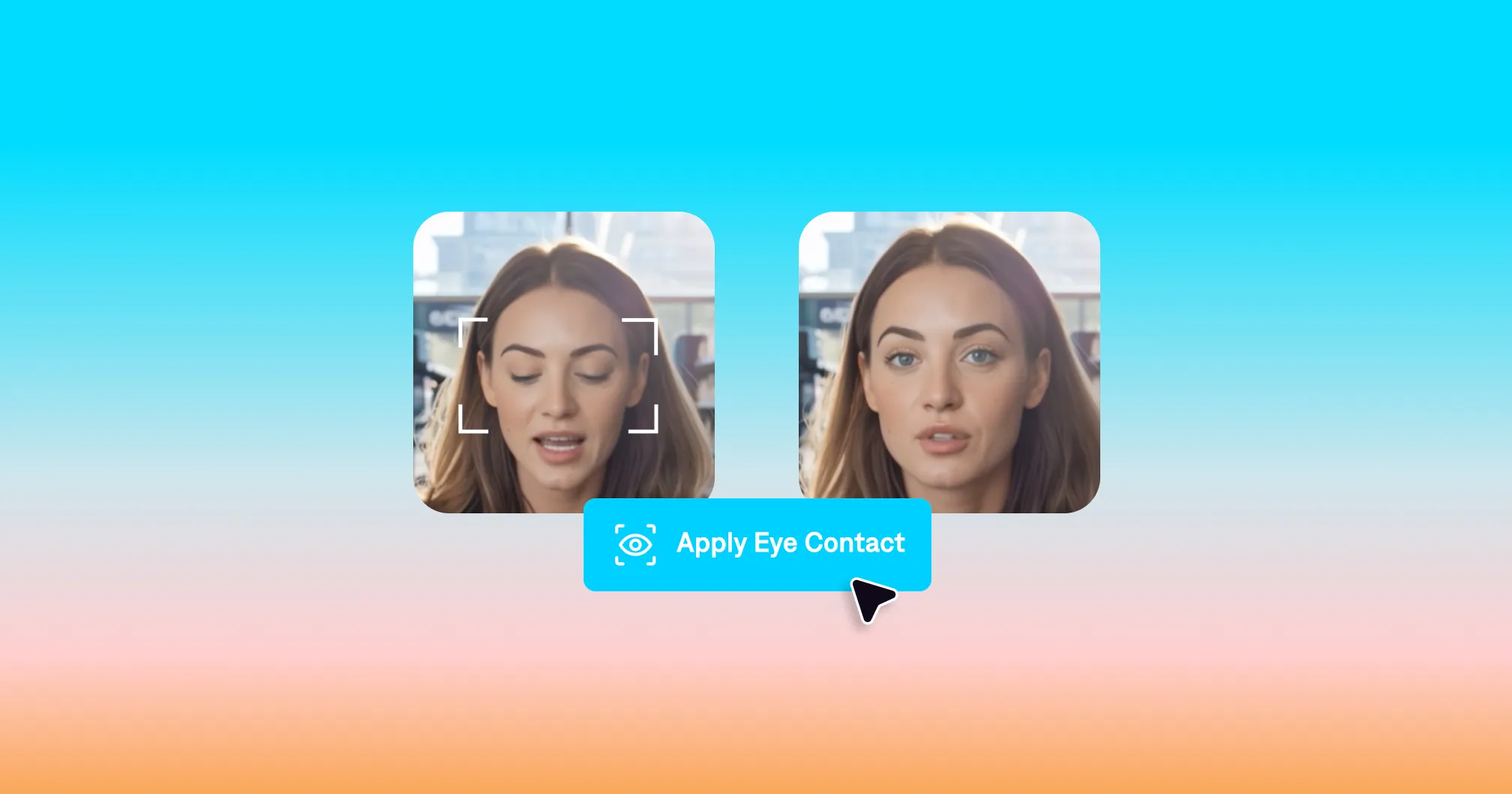
Captions' teleprompter scrolls your script at your speaking pace while you record, so you can look directly at the camera and deliver your hook with the confidence of someone who knows exactly what they're saying. Pair it with Captions' eye contact correction, which adjusts your gaze to look directly at the lens even when you're glancing at your script.
Video hook formulas you can use today
These are repeatable frameworks; you can fill in the brackets with your specific content. As you get the hang of it, you'll find yourself deviating more and more from these types of guides.
"The reason [common behavior] isn't working for you is [non-obvious explanation]."
"I spent [time/money/effort] doing [thing]. Here's what I learned."
"Nobody talks about [specific aspect of topic]. Here's why it matters."
"Stop [common thing creators do]. Do this instead."
"[Surprising statistic]. Here's what that means for [viewer's situation]."
"This is [specific thing viewer does wrong]. Watch until the end, [promise]."
"If you've been doing [thing] and wondering why [result isn't happening], let me tell you."
"[Number] out of [number] creators make this mistake. Here's how to tell if you're one of them."
"I tried [thing everyone recommends]. Here's what actually happened."
"Before you [action the viewer is about to take], watch this first."

Try it in Captions
Frequently asked questions
How long should a video hook be?
Hook length and video length are related, but the core hook moment is always fast:
On short-form platforms (TikTok, Reels, Shorts), your hook should land within the first 1-3 seconds.
On long-form YouTube, you have up to 30 seconds to establish the hook and set up the video's premise, but your opening line still needs to land within the first three seconds.
How do you write hooks for different niches?
The hook types are the same across niches; what changes is the specificity. A pain point hook for a fitness creator names a fitness-specific frustration. A pain point hook for a software developer names a developer-specific frustration.
The more precisely the hook speaks to the viewer's actual experience in their specific context, the better it works. Generic hooks fail across all niches equally.
What is a pattern interrupt hook?
A pattern interrupt is anything that breaks what the viewer expects to see next. Pattern interrupts work because the brain is wired to pay attention to novelty. Breaking the expected pattern of a talking-head video earns you a few extra seconds of attention; just long enough for your actual hook to land.
How do you hook viewers without being clickbait?
The difference is whether the video delivers on what the hook promises. Write your hook after you know what the video contains, not before.
Then ask: does the hook accurately represent what a viewer is about to see? If yes, it's a hook. If the hook implies something the video can't deliver, it's clickbait. Trust is a long-term asset. A hook that overpromises and under-delivers earns one click and loses a subscriber.