Add Visual Transitions Between Video Shots
Overview
View your project by shots and easily add transitions between them
Shots
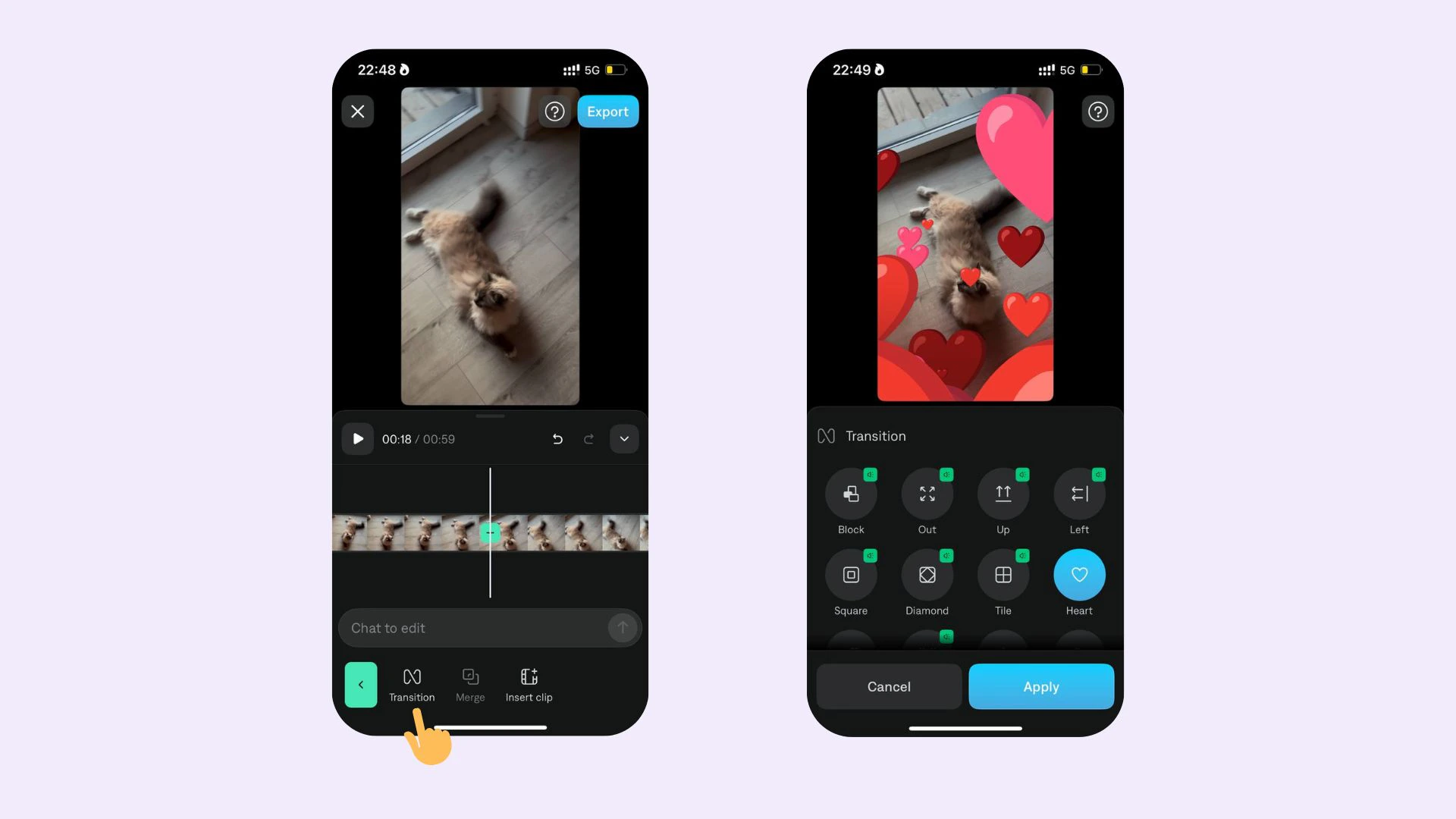
Using AI, Captions will automatically detect a shot change and add a visual marker. This can be a helpful way to visualize your project and easily add transitions.
Add transition
To add a transition:
- Scroll on the timeline to the point where you’d like to add a transition
- Tap Split
- Tap the transition icon
- Choose your transition
Edit transition
To edit a transition:
- Select the transition
- Change transition style: Tap any of the other options
- Delete: Tap the selected transition to deselect it
Last modified on July 29, 2026