Extract Audio From Video Tracks
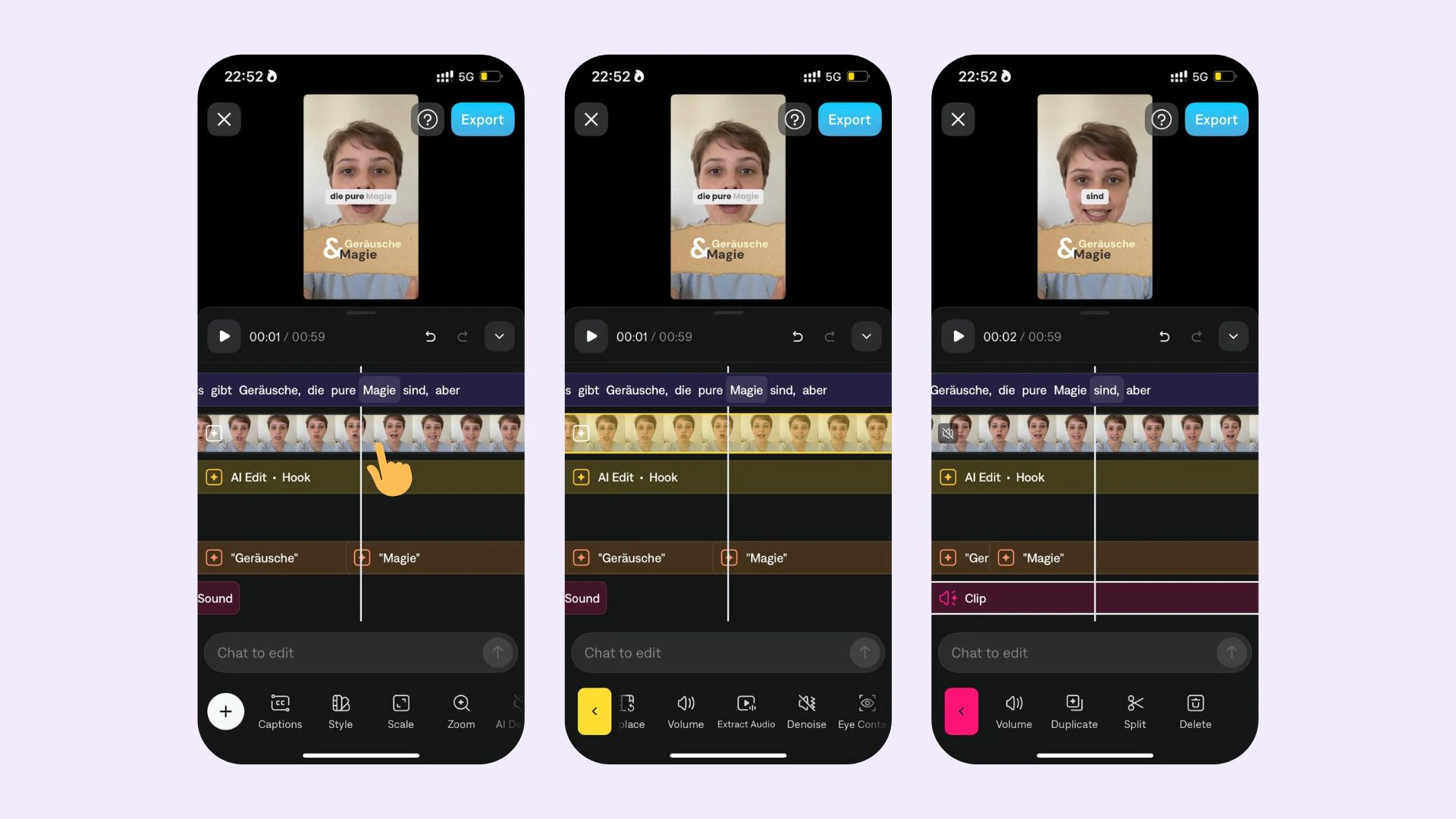
You can extract audio from added video tracks in your project and granularly control the volume/mute any track with sounds. To extract audio from a video track:- Tap on your video track
- Tap on Extract Audio
- Now you can granularly control the volume/mute any track with sounds