Apply Dynamic Zoom Effects to Highlight Key Moments
Add Zooms
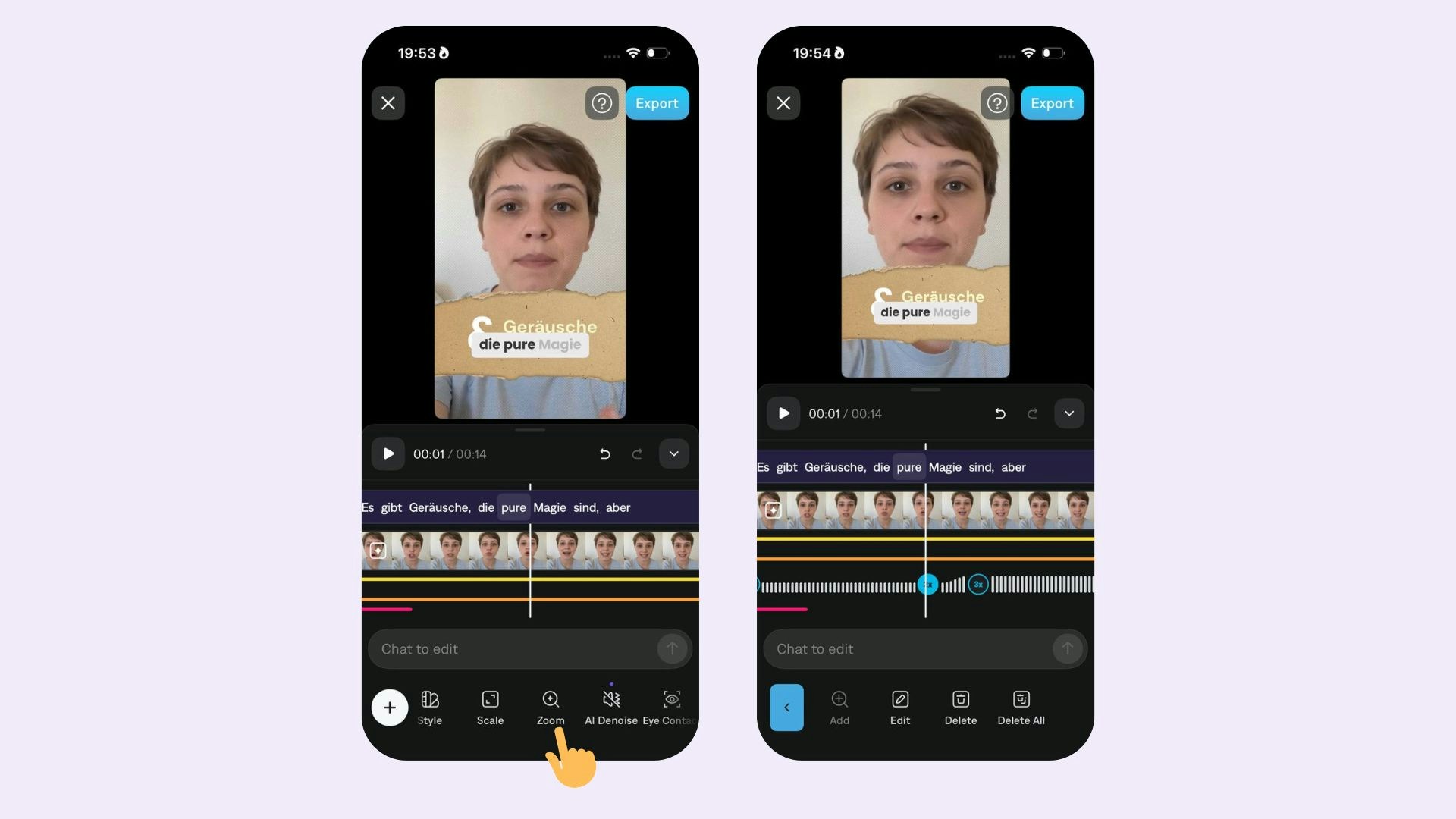
To add zooms to your video:
- Scroll on the timeline to the time in the video you’d like to add a zoom
- Tap Zoom - Zooms will automatically be applied.
- Tap +
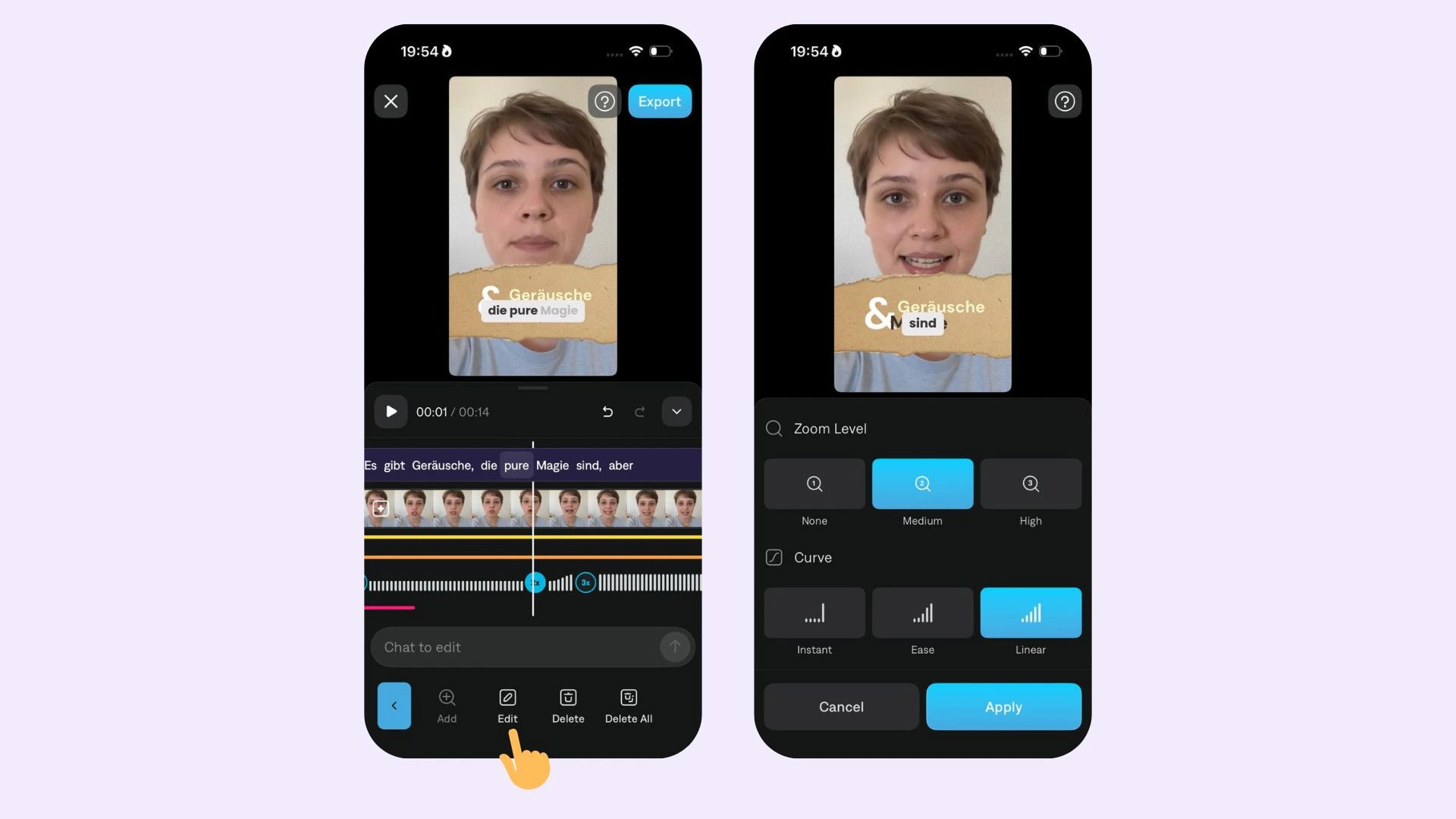
- Choose the intensity
- Choose the animation curve
Edit Zooms
To make edits to zoom, select Edit and choose from:
- Intensity: Choose between zoom level 0 (no zoom), 1, and 2.
- Animation Curve: Choose between Linear, Ease, or Instant.
- Delete: Tap Delete or Delete All
Last modified on July 29, 2026