

How to start a conversation
1
Text Cappy
Go to captions.ai/features/text-to-edit in your browser and click ‘Text Cappy’ to send your first message and start editing.
2
Start with anything (or even just an idea)
Send video clips, photos, a voice note, article, or just a text description. Cappy works with whatever you have.
3
Describe what you want to make
Tell Cappy the kind of video you’re looking to make. Some examples:
- “Edit this into a high energy TiKTok with jump cuts, bold captions, and upbeat music”
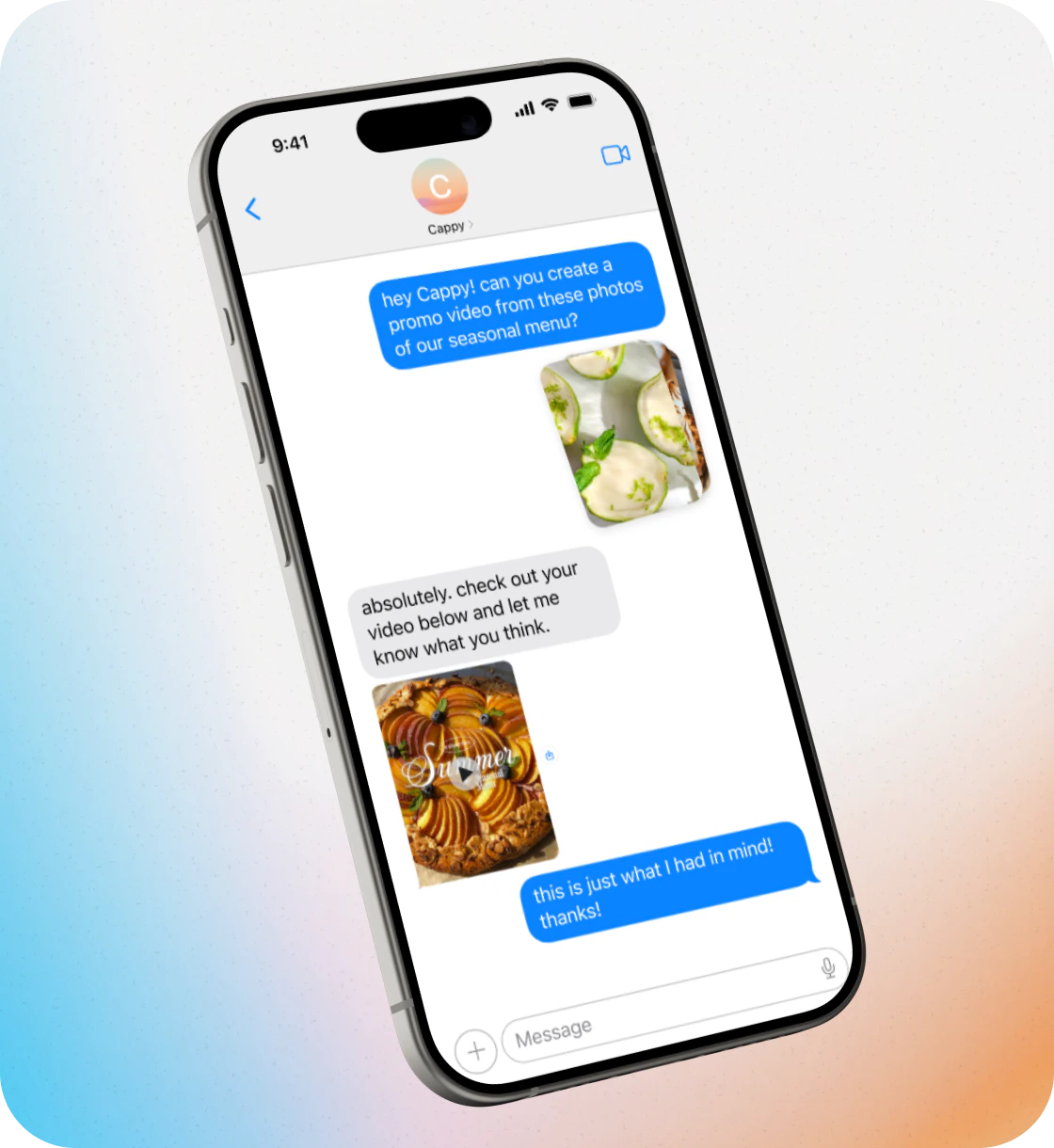
- “Make a weekly specials video from these food photos for my restaurant”
- “Turn today’s news into a narrated video with generated visuals and captions”
4
Get your first draft
Cappy will create a fully edited video with cuts, pacing, captions, and visuals based on your instructions.
5
Chat until it’s right
Text Cappy with feedback to improve the video. For example:
- “Make this faster, add captions, and quick cuts”
- “Add some upbeat hip hop music”
- “Include a strong hook at the beginning”
6
Save and share
Once you’re happy with the result, save the video to your phone and share it!
Frequently Asked Questions
How much does Cappy cost?
How much does Cappy cost?
Cappy is free to try for a limited time. Just text to get started.
What do I do if I’m not getting what I want from Cappy?
What do I do if I’m not getting what I want from Cappy?
If you need more control over your edits, you can use Captions for more advanced features.
What do I need to get started with Cappy?
What do I need to get started with Cappy?
Just your phone. Then, just share what you’re trying to create with Cappy. You can start with video clips, photos, a voice note, or even just a description of what you want. Cappy will work with whatever you have.
Can I make changes after I see the first draft?
Can I make changes after I see the first draft?
Absolutely—that’s the whole point. Text back with what you want to change and Cappy will continue working on it until it’s exactly how you want it.
Who is Cappy built for?
Who is Cappy built for?
Cappy is the AI video maker built for anyone who needs great video but doesn’t have the time, budget, or headspace to figure out how to edit. Whether you’re running a business, building a brand, or just trying to show up more consistently—Cappy makes it possible.
How long does it take to create a video?
How long does it take to create a video?
Most videos are ready within a few minutes. More complex edits may take longer.
Can I start without uploading a video?
Can I start without uploading a video?
Yes. You can start with just an idea, and Cappy can create a video from scratch.
Do I need to install an app?
Do I need to install an app?
No. Cappy works through text messaging—there’s nothing to download.