

How to add auto-captions to videos (tips and tools)
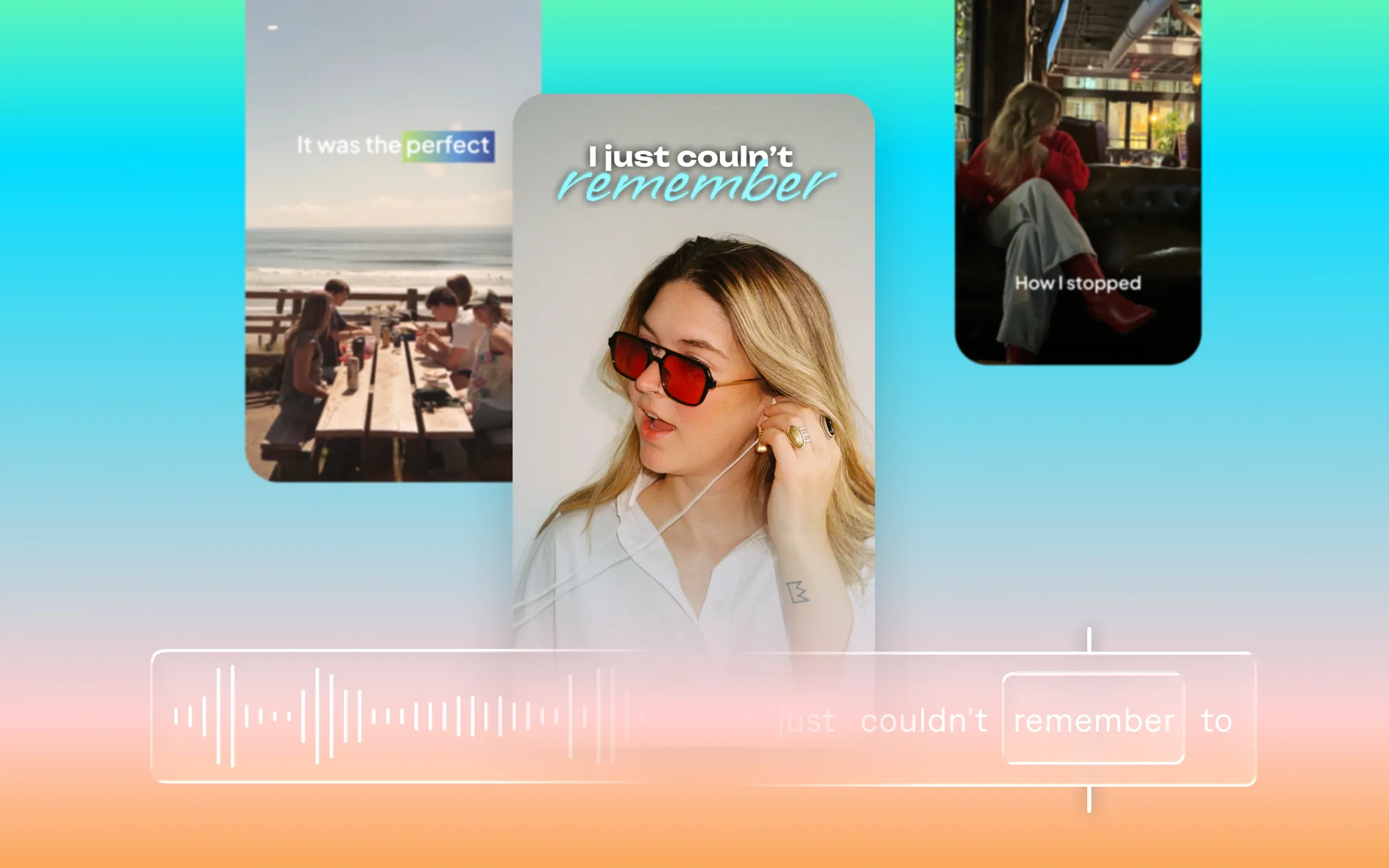
Last updated: May 21, 2026
Most social video is watched without sound. Research consistently shows that 85% of social videos are watched on mute; and that pattern holds across TikTok, Instagram, YouTube, and LinkedIn. If your words aren’t on-screen, a significant share of your audience never “hears” them.
Captions fix that. They also improve accessibility, boost watch time, help with video SEO, and make your content indexable across platforms. This guide covers what captions are, how to add them on every major platform, which tools do it best, and how to make sure your captions actually work once they’re there.
What is the difference between captions and subtitles?
The terms are often used interchangeably, but they mean different things:
- Captions are designed for viewers who can’t hear the audio, whether due to hearing impairment, a noisy environment, or watching on mute. They include not just dialogue but also sound effects and speaker identification: [upbeat music], [applause], [John]
- Subtitles assume the viewer can hear the audio and are primarily a translation tool, converting spoken dialogue into text in a different language. They typically don’t include non-speech sounds.
For most social video creators, the practical distinction matters less than the outcome: you want your spoken words to appear on-screen, synced to the audio, readable by your audience. Whether you call the output “captions” or “subtitles” depends on the platform.
What is the difference between open captions and closed captions?
- Open captions (also called hardcoded or burned-in captions) are permanently embedded in the video file. Every viewer sees them and they can’t be turned off.
- Closed captions are a separate track that viewers can toggle on or off. They’re the standard for broadcast television, YouTube’s CC button, and accessibility compliance in formal contexts. The caption text lives in a separate file (usually an SRT or VTT file) that the platform reads alongside the video.
For TikTok, Instagram Reels, and most social video, you want open captions burned directly into the video. For YouTube, you can upload a separate SRT file and let YouTube handle the display.
Why captions matter for your video performance
Beyond accessibility, captions directly affect how your videos perform in three key ways:
- Watch time and completion rate. Captions keep viewers watching, particularly on mobile, where most video is consumed without sound. Videos with captions see up to 40% more views and significantly higher completion rates than uncaptioned equivalents.
- SEO and discoverability. YouTube indexes the text in your captions, expanding the search queries your video can rank for. On your own website, adding a transcript beneath an embedded video gives search engines additional indexable text associated with the video content. For more on this, our video SEO strategy guide covers VideoObject schema and platform-specific optimization in detail.
- Accessibility and reach. Around 466 million people worldwide have disabling hearing loss, and captions are a baseline accessibility requirement under ADA compliance guidelines in professional contexts. Beyond those directly affected, captions serve anyone in a loud environment, watching in a second language, or simply preferring to read alongside the audio.
How do you add captions to a video?
There are three ways to add captions to a video:
- Auto-generate with AI. Upload your video to a captioning tool like Captions; the AI transcribes your audio, and synced captions appear on the timeline. You review, edit where needed, and export. This is the fastest approach and the standard for most creators. The captions are now part of your video, so the video works for any platform without additional adjustments.
- Upload a caption file. You’ll need a tool to export audio as captions with timestamps, then create an SRT or VTT file containing the caption text and timestamps. You’ll upload this file to each platform you use, and the platform displays your captions as a separate track. This gives you more control over timing and formatting, but it’s also more manual work.
- Add captions natively in the platform. YouTube, TikTok, and Instagram all have built-in auto-captioning. It’s fast and free, but with limited styling control and lower accuracy (covered platform-by-platform below). Users can also choose to turn them off, so some viewers may skip your captions entirely.
How to add captions on each platform
How do you add captions to a YouTube video?
Pro tip: YouTube has two native captioning paths: auto-generated captions and uploaded SRT files. YouTube’s native captions are closed captions, so viewers can toggle them on and off. If you want captions that are always visible (especially important for Shorts), burn them into the video file before uploading.
Auto-generated captions (YouTube Studio):
- Upload your video to YouTube Studio
- Go to Subtitles in the left menu
- Select your video → click Add language → select English (or your language)
- YouTube will auto-generate captions within a few minutes of upload
- Click Edit to review and correct any errors before publishing
Uploading an SRT file:
- Export an SRT file from your captioning tool
- In YouTube Studio → Subtitles → select your video
- Click Add language → Upload file → select your SRT file
- YouTube syncs the file to your video automatically
How do you add captions to a TikTok video?
Pro tip: TikTok’s native auto-captions are functional but offer minimal styling control. For word-by-word animations, custom fonts, or brand-consistent caption styles, use an external tool before uploading.
Using TikTok’s built-in auto-captions:
- Record or upload your video in the TikTok app
- On the editing screen, tap Captions in the right-hand toolbar
- TikTok auto-generates captions from your audio (this typically takes 10-30 seconds)
- Tap any caption line to edit the text
- Tap Save → proceed to posting
Using pre-captioned video (recommended for styling control):
- Add and style captions in an external tool
- Export the video with captions burned in
- Upload the finished file to TikTok (the captions are already embedded)
- TikTok will still offer to auto-generate captions; decline if yours are already in the video
How do you add captions to an Instagram Reel?
Pro tip: Instagram’s caption sticker has improved but still has limited font and style options. Pre-editing with a dedicated tool gives you significantly more control over how captions look in your Reels.
Using Instagram’s built-in captions:
- In the Reel editor, tap the Sticker icon after recording or importing your video
- Select Captions from the sticker tray
- Instagram auto-generates captions from your audio (takes 15-30 seconds)
- Tap any word to edit; tap and drag to reposition the caption block
- Tap Done → proceed to posting
Using pre-captioned video:
- Add captions in your preferred tool
- Export in 9:16 format with captions burned in
- Upload to Instagram (your captions are already in the video file)
What is an SRT file and when do you need one?
An SRT (SubRip Subtitle) file is a plain text file that contains caption text paired with timestamps. It tells a video player when to show each caption line and when to hide it. A typical SRT file looks like this:
1
00:00:02,500 --> 00:00:05,000
This is the first caption line.

2
00:00:05,200 --> 00:00:08,000
This is the second caption line.
You need an SRT file when you’re uploading captions to a platform that handles them as a separate track (like Vimeo and some LMS platforms). For social platforms like TikTok and Instagram, captions are usually burned into the video file instead of uploaded separately.
A VTT (Web Video Text Tracks) file is similar to SRT but formatted for web use. If you’re embedding videos on your website and want captions to display in the browser player, a VTT file is the standard format. Most captioning tools export both.
Why caption quality matters more than you might think
Not all captions are created equal, and the difference between “decent” and “bad” can be consequential. Low-quality captioning can erode trust or signal sloppy work.
For example, transcription errors are more than annoying; they signal that you didn’t check your work. “Social media strategy” becoming “social median strategy” in your captions is the video equivalent of a typo in a headline. Most viewers won’t comment on it, but it might subtly erode trust.
You also want to check details like readability and clarity. Captions that are too small or poorly timed will get ignored. Captions positioned over the most important part of your frame will frustrate viewers.
What to look for in a captioning tool
If you’re looking for the best video captioning tool, you’ll want to vet quality upfront. Especially with automatic and generated captions, reliable tools make all the difference. Output quality and consistency determine whether the tool actually saves you time, or just creates a new headache to manage.
Strong auto caption tools share these four characteristics:
- Transcription accuracy. The best tools handle fast speech, different accents, and domain-specific language without requiring you to correct every other word. If you’re spending more time fixing than the tool saves you, it’s not the right tool. You should only need to do small tweaks, not total rewrites.
- Readability. The right size, right contrast and positioned thoughtfully. Captions shouldn’t cover the main content or distract from other parts of the story.
- Styling control. Details like font, size, and color aren’t just aesthetic preferences. Neither is caption placement. Look for tools that optimize for aesthetics, but also let you tweak when you want to. The best captioning generators give you the option to edit details, rather than locking the file down.
- Workflow efficiency. If your captioning tool is separate from your other video editing apps, every video requires a cycle of exports, re-uploads, etc. That friction can add up.
Captions includes everything you need for a fully edited video in one workflow: automatic captioning, AI Edit, avatar creation, and more. You never have to leave the tool to get your captions in.
Best auto caption tools: compared
| Tool | Best For | Styling Options | Export Format(s) |
|---|---|---|---|
| Captions | Social video, talking-head content, the full editing workflow | 100+ styles, custom fonts, word-by-word animation | MP4 (burned-in), SRT |
| VEED | Browser-based editing, team workflows | Good range of styles, templates | MP4, SRT, VTT |
| Kapwing | Teams, repurposing, browser-based | Moderate styling options | MP4, SRT, VTT |
| Submagic | Animated captions for short-form video | Strong animations, trendy styles | MP4 (burned-in) |
| YouTube Studio | YouTube-only, quick auto-captions | None, closed captions only | SRT |
The short version: For creators who want the most accurate captions with the most styling control in one workflow, Captions is the strongest option.
Caption styling tips that actually matter
Even with a great tool, the decisions you make about how captions look affect whether they work.
- Keep lines short. Aim for 5–7 words per caption line at most. Long lines are harder to read quickly, and viewers are moving fast. A good rule for accessibility compliance: keep caption lines to 32-37 characters maximum. This is the standard for broadcast captioning and ensures readability across screen sizes. Most dedicated caption tools enforce this automatically.
- Use contrast. White text on a light background disappears. Check how your captions look over different parts of your footage before you export.
- Position thoughtfully. Standard placement is lower-center, but “standard” isn’t always right. If your subject is in the lower third of the frame, captions can obscure their face or hands. Most platforms support top positioning as an alternative. For accessibility, use a minimum 22-24px font size for video displayed at 1080p. Sans-serif fonts (Arial, Helvetica, and purpose-built caption fonts like Noto Sans) are more readable at small sizes than serif fonts.
- Don’t over-animate. Caption animations have become a signature style for short-form content: word-by-word reveals, bounces, color pops. Used well, they direct attention. Overused, they become noise. Pick one approach and apply it consistently.
- Match your energy. Captions on an emotional, documentary-style video should probably be understated. Captions on a fast-cut hype reel can push harder. The styling should fit the content, not fight it.
Add captions with Captions
Captions was built around the workflow problem. Auto-captions are generated with AI that understands context, not just phonetics, handling accents, fast speech, and filler words accurately from the start.
Editing, styling, and publishing all happen in the same place. Upload footage or record directly in the app, handle all edits and captioning in one workflow, and export platform-ready video without bouncing between tools.
You can use Captions on web or in the Captions app on iOS. Start for free and add captions in the same workflow where you edit, resize, and publish.

Start making better captions
How to add video captions: frequently asked questions
Can you add captions to a video for free?
- YouTube Studio auto-generates captions for free (closed captions, limited styling).
- TikTok and Instagram both have free native auto-captioning.
- For burned-in captions with more styling control, Captions and several other tools all have free tiers, though some add a watermark on free exports. Captions’ free tier lets you get started with automatic captioning without a watermark.
How accurate are auto-generated captions?
It depends heavily on the tool and the audio quality. In ideal conditions (clear audio, standard accent, no background noise), the best AI captioning tools achieve 95%+ accuracy. Accuracy drops with background noise, heavy accents, fast speech, or technical vocabulary.
Captions is designed specifically to maintain high accuracy in the conditions creators actually record in, including fast speech and a range of accents. Always review auto-generated captions before publishing; errors in captions undermine credibility faster than most other production mistakes.
What tools are best for adding animated captions to videos?
- Captions (100+ styles including word-by-word animations, custom fonts, brand colors)
- Submagic (purpose-built for animated short-form caption styles)
- VEED (solid range of templates with animation options)
For the most customization (including matching your brand fonts exactly) Captions gives you the most control without requiring a separate design tool.
Is there a difference between hardcoded and softcoded captions?
- Hardcoded (burned-in, open) captions are embedded permanently in the video file. Everyone sees them, and they can’t be turned off.
- Softcoded (closed) captions are a separate track that viewers can toggle.
For social media, hardcoded captions are standard; you can’t control whether a viewer has captions turned on in their app, so embedding them ensures they’re always visible.
For YouTube and platforms with native caption track support, softcoded captions (uploaded as an SRT file) give you more flexibility to update the text after publishing.