

1
Choose the project type
On Home, open the project type menu and select Edit by a professional. The description is “Get your video professionally edited.”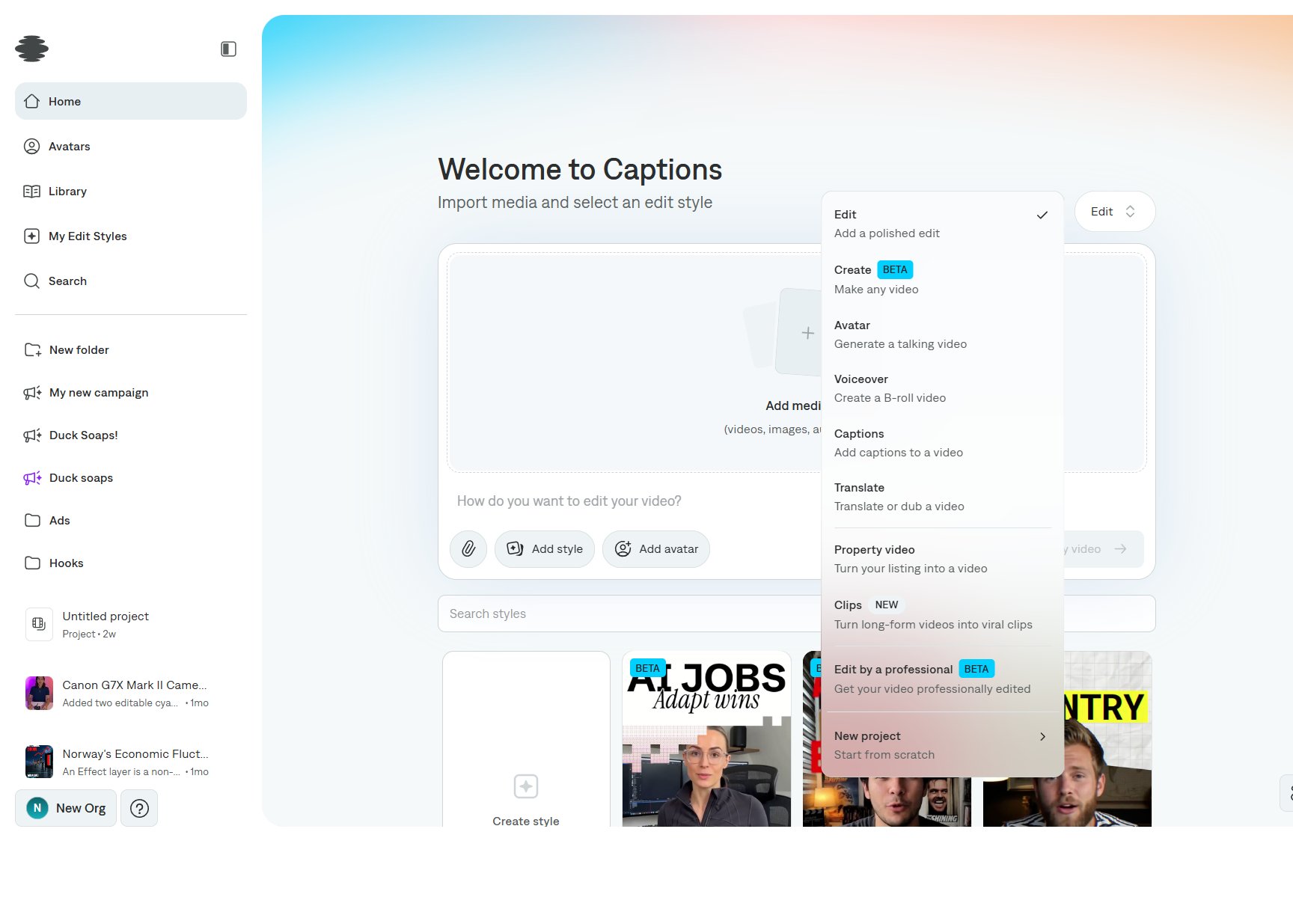
2
Add the footage and the brief
Import the video. In the prompt, describe the audience, the length, and what the edit must include. Attach references with the paperclip.
3
Submit
Select Create my video to send the project. Track it from the sidebar. When the edit is back, open it in the editor to review captions, timing, and export.