

Create a Voiceover project
1
Choose Voiceover
On Home, open the project type menu and select Voiceover. The description is “Create a B-roll video.”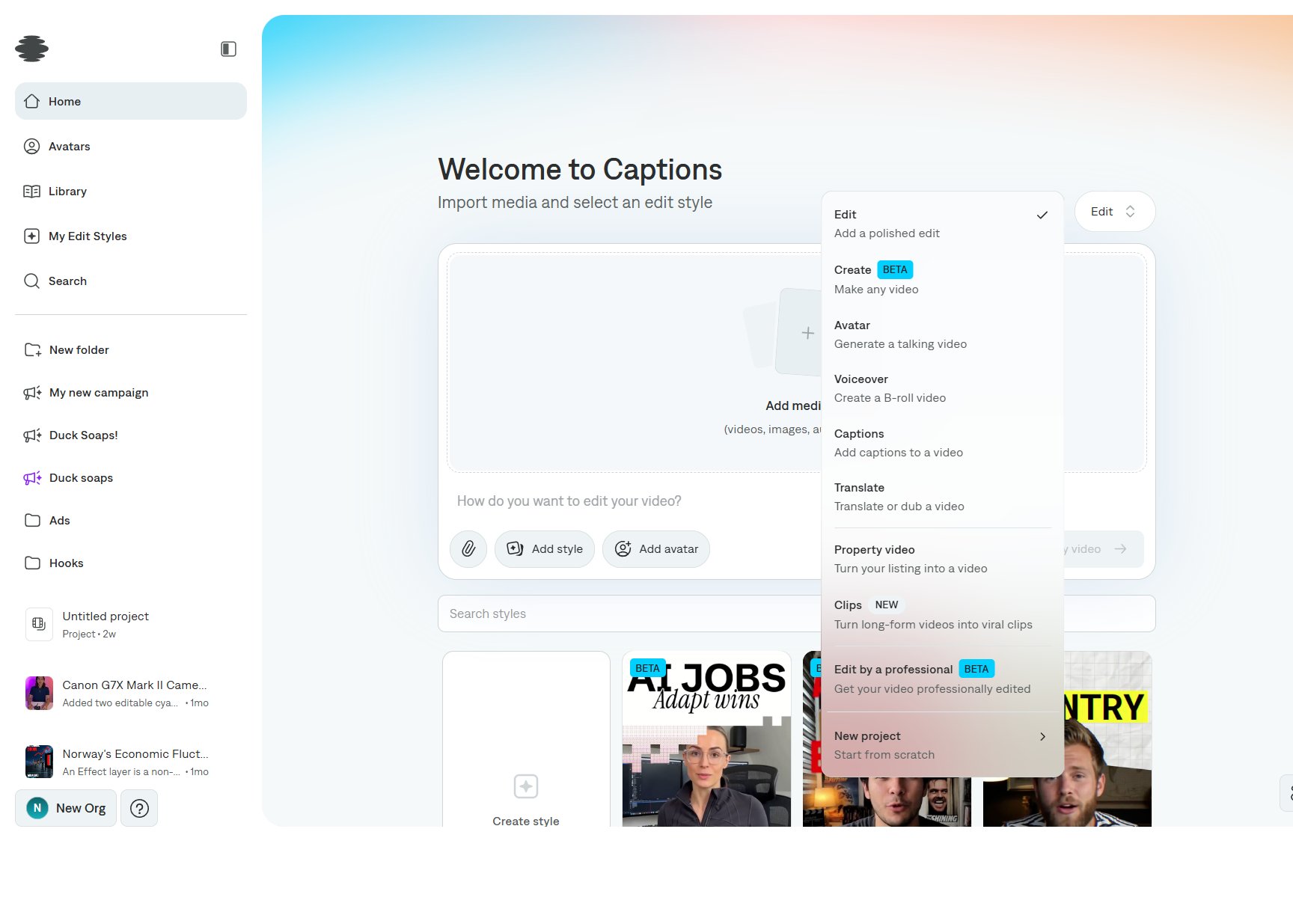
2
Describe the video
Write the script or the brief in the prompt. Attach images, clips, or links the B-roll should follow. Pick an edit style if you want a specific treatment.
3
Create the project
Select Create my video. Captions plans the B-roll around the voiceover and opens the editor. A Voiceover project is also where you set up a new cloned voice: start the project, wait for the plan, then configure the voice before you generate.
Add narration in the editor
Select Voiceover on the tool rail.- Import voiceover adds an audio file.
- Generate takes a script and reads it in the selected voice.
- The voice button shows the voice that will be used, including a clone already on the account.
- Choose the voice, then Generate voiceover. The track lands on the timeline.