

1
Choose Property video
On Home, open the project type menu and select Property video. The description is “Turn your listing into a video.”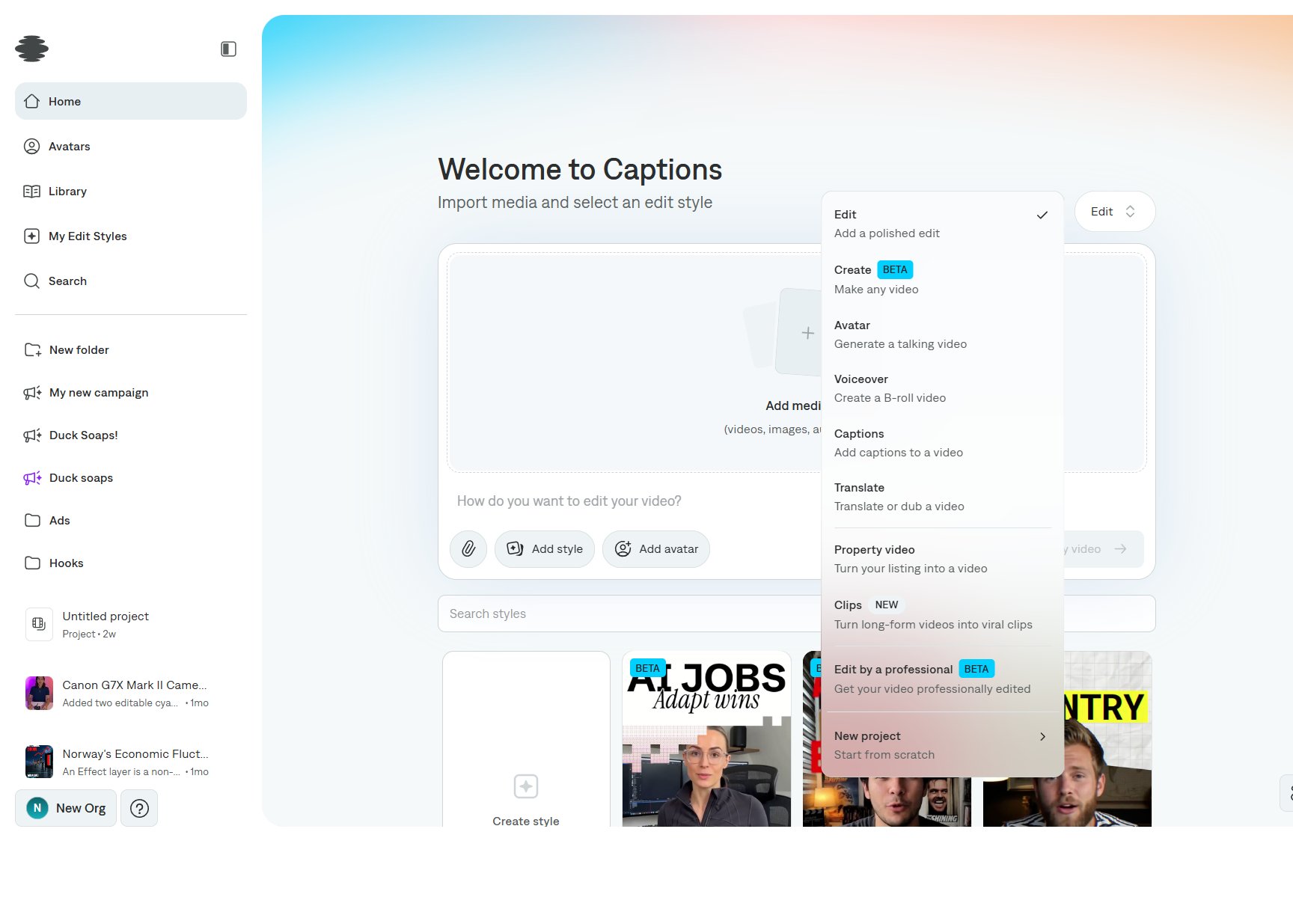
2
Add the listing
Import listing photos and, if you have it, a clip of the property. In the prompt, include the address, price, and the facts that should appear on screen.
3
Create the project
Select Create my video. The editor opens with the reel on the timeline. Change lower thirds, captions, and length there, or ask chat to adjust a scene.