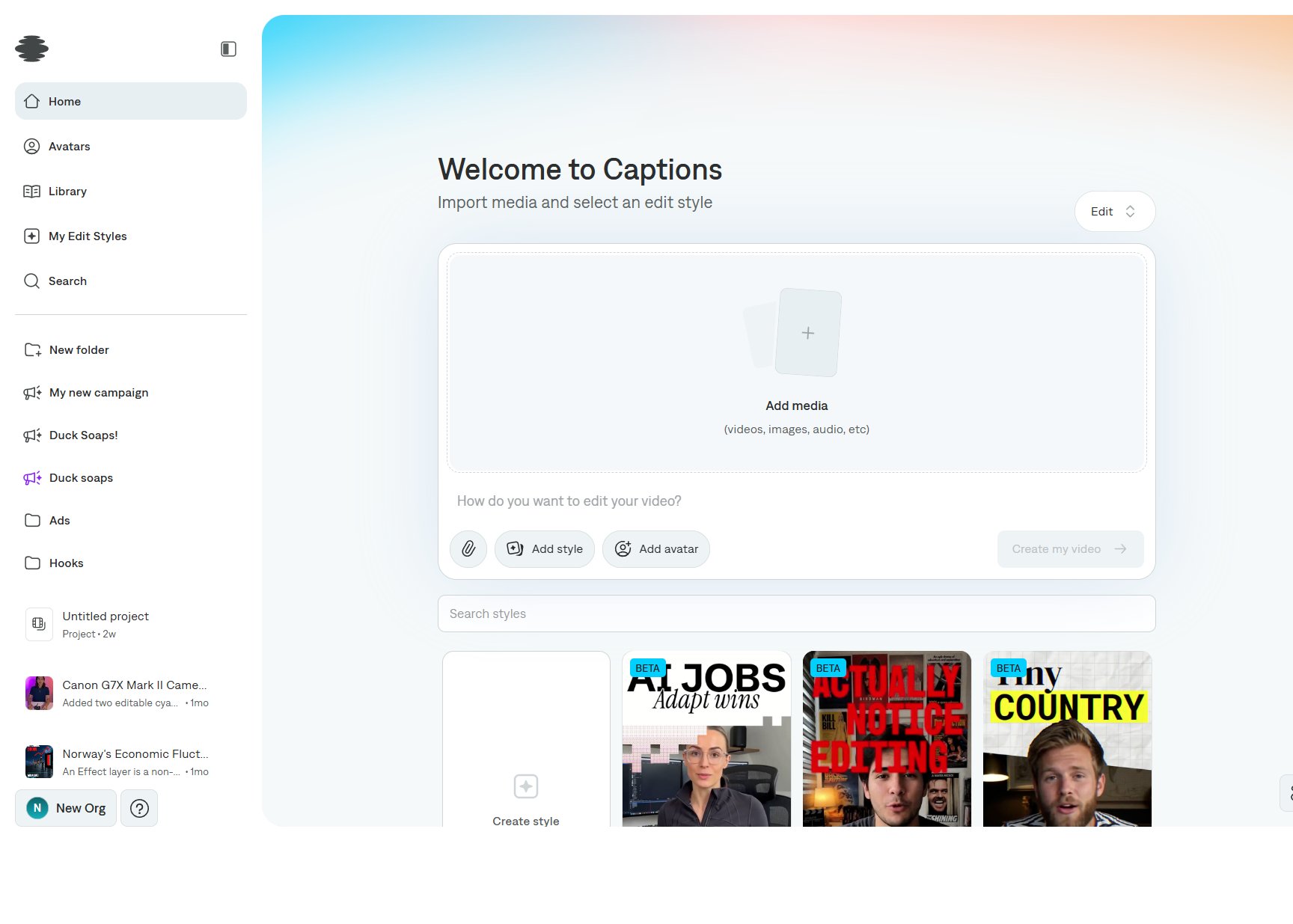
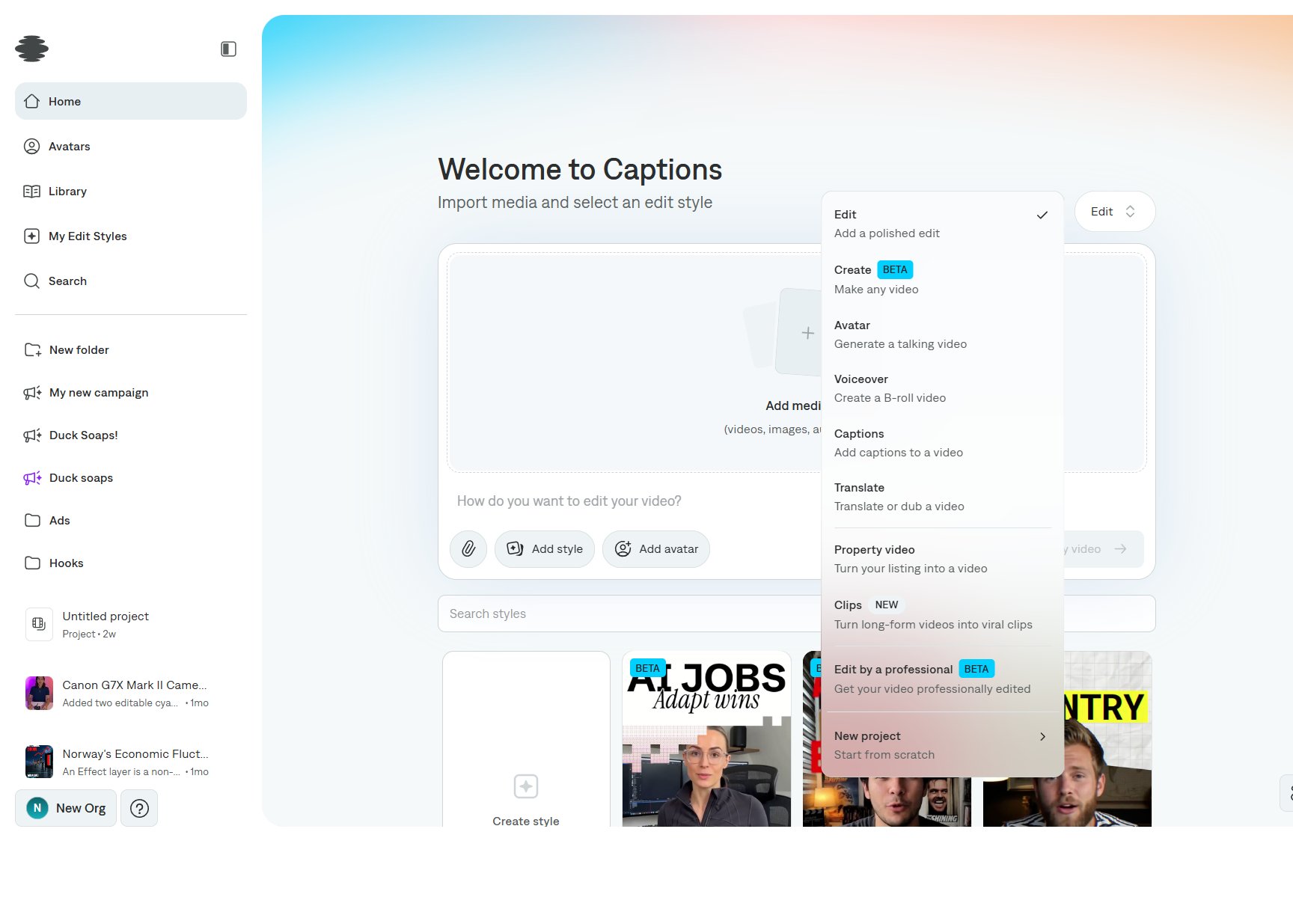
Captions for Web is where you start a project, generate or edit a video, and export it. Open captions.ai/home and choose a project type from the menu in the top right of the composer.
Choose a project type
The menu defaults to Edit. Each type changes the prompt, the media you attach, and what Captions builds.
Where your work lives
The left sidebar stays available while you are on Home, Avatars, Library, and My Edit Styles.
- Home is the composer for every project type.
- Avatars is the avatar library, including AI twins and avatars you describe.
- Library keeps media you generate, so you can reuse it in later projects.
- My Edit Styles lists edit styles you save from a project.
- Search, New folder, and your folders organize projects.
- Recent projects and clip groups sit under your folders. A clip group shows how many clips it contains.
Open any project to land in the editor, where you can keep editing with chat, the timeline, and the tools along the left edge. See Interface overview for the layout, or Create your first project to run an Edit from start to finish. Last modified on November 5, 2026