

1
Choose Clips
On Home, open the project type menu and select Clips. The description is “Turn long-form videos into viral clips.”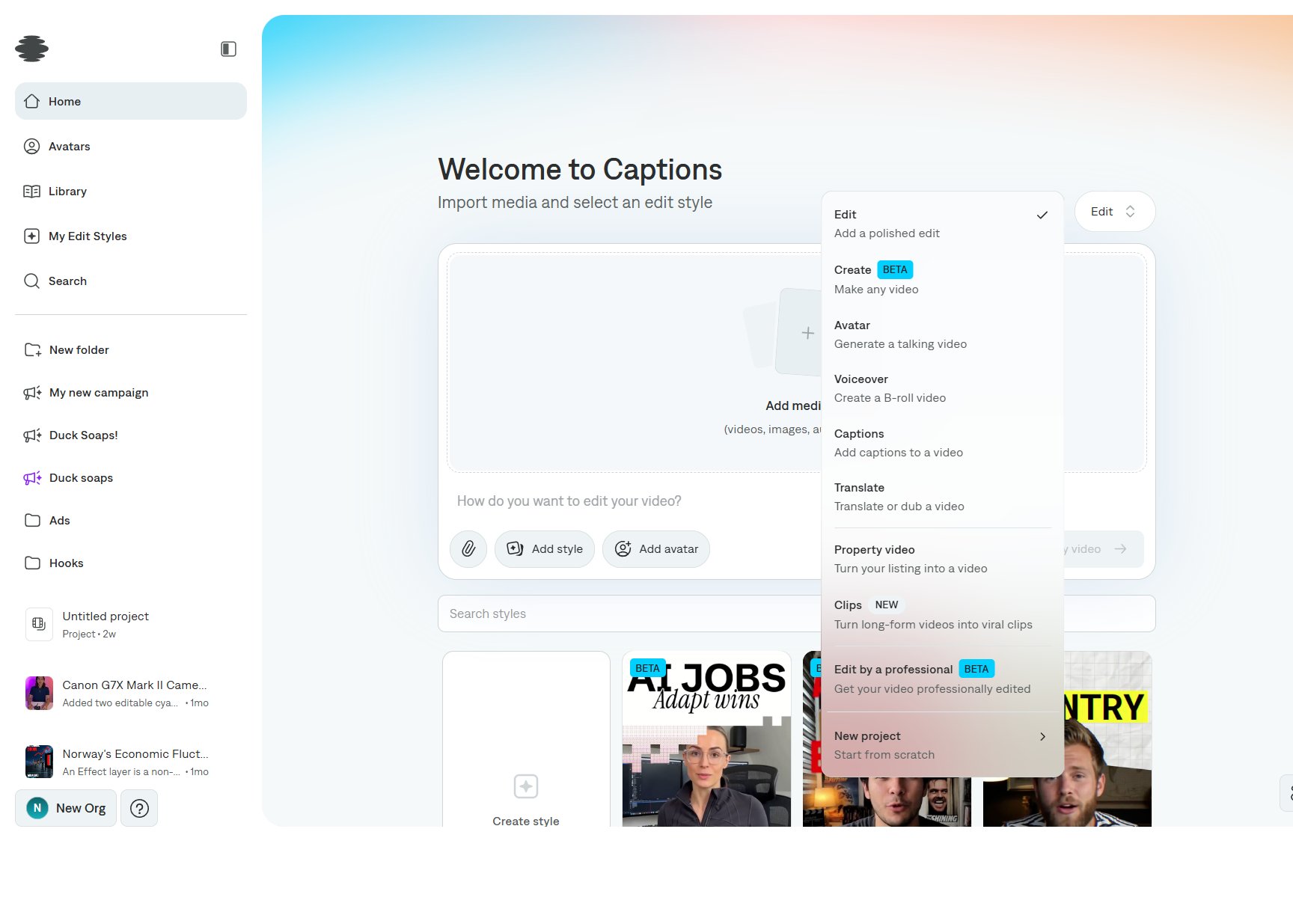
2
Add the long video
Import the file, or paste a link if the composer offers one. A prompt is optional. Use it to say which moments matter, such as product demos, jokes, or quotes.
3
Review the plan
Before generation, check the plan Captions proposes. Confirm the aspect ratio and whether intro titles should be included, then start generation.
4
Open the clip group
Finished jobs appear in the sidebar as a group, with a clip count such as “20 clips.” Open the group to review them. See Reviewing your clips.