

How to make a video quickly (without spending hours editing)
The fastest video workflow has three stages, and the time savings come from simplifying decisions at each one. This guide gives concrete tips to edit and publish fast.
Last updated: July 13, 2026
Most of the time it takes to make a video isn’t spent on the video itself. It’s spent on decisions: what to film, how to edit it, which tool to use, how to format it for each platform. Then there’s the actual editing: the trimming, the captions, the export settings. By the time one video is done, there’s no energy left for the next one.
The fix isn’t a faster computer or a shorter script. It’s a workflow that collapses all those decisions into as few steps as possible. Here’s how to do it.
What is the fastest way to make a video?
The fastest video workflow has three stages, and the time savings come from simplifying decisions at each one:
- Get footage (film it, generate it with AI, or use what you already have)
- Edit (AI or manual? The choice depends on how much control you need)
- Export and post (formatted for the right platform, without rebuilding it for each one)
The tools that make this fast aren’t necessarily the most powerful ones; they’re the ones that handle the time-consuming decisions automatically. AI editing tools like Captions have changed the practical time cost of producing polished video from hours to minutes for the majority of social content formats.
The 3-step workflow for making videos fast
The following workflow applies whether you’re filming yourself, generating with AI, or repurposing existing footage. The steps are the same, but what changes is the starting point.
1: Get your footage ready
Before you open an editing tool, decide which of three footage paths you’re starting from:
-
Film it yourself. The most flexible option, where you control the lighting, the framing, and what you say. The tradeoff is setup time: even a simple talking head setup requires a minute of positioning and a take or two.
- Best for: Content where your personal presence is core to the value (coaching, thought leadership, product demos, tutorials).
-
Use existing footage. If you have recordings from a webinar, a Zoom call, a past video, or a previous shoot, that footage is already done. Import it directly into your editing tool and skip recording entirely.
- Best for: Repurposing long-form content into short-form clips, or updating older content without a full reshoot.
-
Generate it with AI. AI video generation skips the filming stage entirely. You provide a script or prompt; the AI produces the video. You can also use the video generator to create new footage with an AI avatar or AI twin.
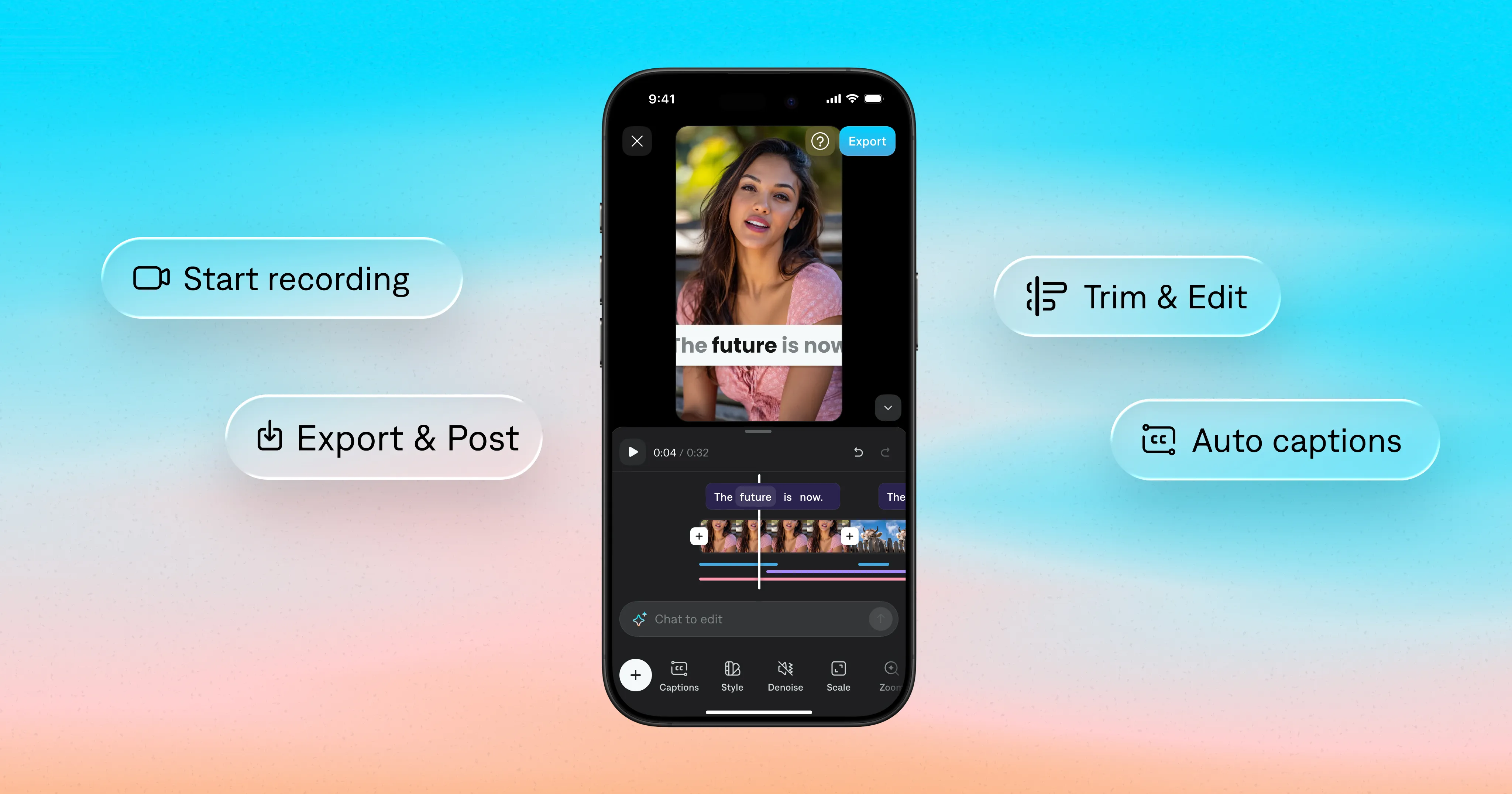
If you already have footage, it’s quick to import into Captions. Just select footage from your photo library, and you’re ready to edit in seconds. If you’d rather record something new, you can do that in the Captions app. There’s even a built-in teleprompter to help you get better takes.
2: Edit with AI
Traditional video editing requires you to make every decision manually: where to cut, how long to hold each clip, where to add B-roll, which transitions to use, how to format captions. For a four-minute talking head video, that process takes 30-90 minutes even for experienced editors.
In AI editing, instead of executing your decisions, AI makes decisions on your behalf: analyzing the footage, identifying the best moments, applying pacing and transitions, and producing an edited result you can then refine. The AI applies editorial discernment to your footage rather than waiting for you to specify every cut.
For most social video formats, an AI-edited first pass gets you 80-90% of the way to a finished video. The remaining 10-20% (adjustments to pacing, a different caption style, a tighter opening) takes minutes rather than the full edit session.
Captions offers both AI editing features and more traditional manual editing options. Either approach is more accessible than most other tools on the market. For the fastest editing workflow, pick AI Edit. This powerful feature transforms your raw footage into a fully-edited video that’s ready to export and share. Choose from a library of styles with different vibes, pacing, and fonts. You can try a couple of different AI styles to see which one fits your content and audience best.
If you’re just trying to add captions, that’s easy, too. Pick Manual edit, then select your caption style. Captions are automatically generated with accurate transcription and pacing; no fussy timeline editing required.
For any refinements after the AI Edit pass, you can use prompts to edit. Describe changes in plain language, and Captions executes them.

Get started with Captions
3: Export and post
When you’re happy with your video, it’s easy to export and share to popular platforms like Instagram or YouTube Shorts. Captions automatically sizes your video for the right platform. Just click the Export button and you’re ready to go.
From there, post directly or save to your camera roll. Your video is ready for primetime.
Pro tip: For most social platforms (TikTok, Instagram Reels, YouTube Shorts), the standard export is 9:16 at 1080p. Captions handles this automatically. If you’re exporting for YouTube long-form or LinkedIn, switch to 16:9 before exporting. Getting the format right before export means you don’t have to re-export for each platform separately.
How do you make a video fast without equipment?
Most video equipment (a DSLR, a studio light kit, an external microphone) is optional for social video. Here’s what actually matters and what you can skip:
- You need: A smartphone with a decent rear camera, natural window light (free and flattering), and a stable surface or a tripod.
- You don’t need: A ring light, a DSLR, a green screen, or professional audio software. Over-produced social video often performs worse than authentic, slightly imperfect content because it signals “this is a brand ad” rather than “this is a person worth following.”
Can AI make a video for you automatically?
Yes (with the right expectations).
AI video tools can now handle the full production chain: script generation, footage creation, editing, captioning, and formatting. The result is a video that’s ready to post, without manually editing a timeline.
- What AI handles well: Structural editing decisions (pacing, cut points, B-roll placement), caption generation, platform formatting, and talking head video generation from a script.
- What still benefits from human judgment: The hook (the first line is too important to delegate entirely), the specific examples and language that make your content sound like you, and the final review before posting.
The most efficient workflow: use AI to handle the production mechanics (editing, captioning, and formatting) and keep your creative energy for the decisions that actually require it, like what to say and how to say it.
Why this workflow changes what’s possible
Consistency is the single biggest factor to grow your audience online. If your video editing workflow takes a lot of time, it’s hard to keep up. A workflow that removes friction gives you an extra boost to keep creating, no matter your schedule or other priorities.
Creators using Captions aren’t just saving time. They’re posting more frequently, testing more ideas, and building audiences faster because the gap between “I have something to say” and “it’s live” is now measured in minutes, instead of hours.
For most short-form social video (a 60-second talking head Reel, a TikTok explainer, a YouTube Short), the full workflow from import to export takes under 10 minutes with AI Edit. The same video edited manually in a traditional timeline editor takes 30-90 minutes, depending on experience level.
That gap, compounded across a year of consistent posting, is the difference between building an audience and burning out before one forms.
Get started with Captions

Frequently asked questions
What is the easiest video editing app for beginners?
For social video, the most accessible options are:
- Captions (AI handles the edit, you review and refine)
- CapCut (large template library, flat learning curve)
- iMovie (free on Apple devices, straightforward timeline)
For beginners, Captions’ AI Edit removes the need to understand timeline editing entirely: you get a polished result without a learning curve.
For experienced creators, the same feature compresses a 45-60 minute manual edit into under 10 minutes, which compounds significantly across a high-volume posting schedule.
How do you make a video in minutes?
The shortest path: import or record your footage, apply AI Edit, add captions, export. In Captions, this process takes under 5 minutes for a one-minute video.
The steps that take the most time in traditional editing (cutting pauses, placing B-roll, styling captions, formatting for the right platform) are all handled automatically in a single AI Edit pass.
How do you make videos quickly for social media specifically?
Three things compress the production timeline the most:
- Film in short clips rather than one long take, so you’re not scrubbing through a 10-minute recording to find the 90 seconds you want
- Use AI Edit rather than manual timeline editing
- Add captions automatically rather than typing or timing them manually
Together, these reduce a typical social video production session from 45-60 minutes to under 10.