

AI video dubbing: How it works, when to use it and what to watch for
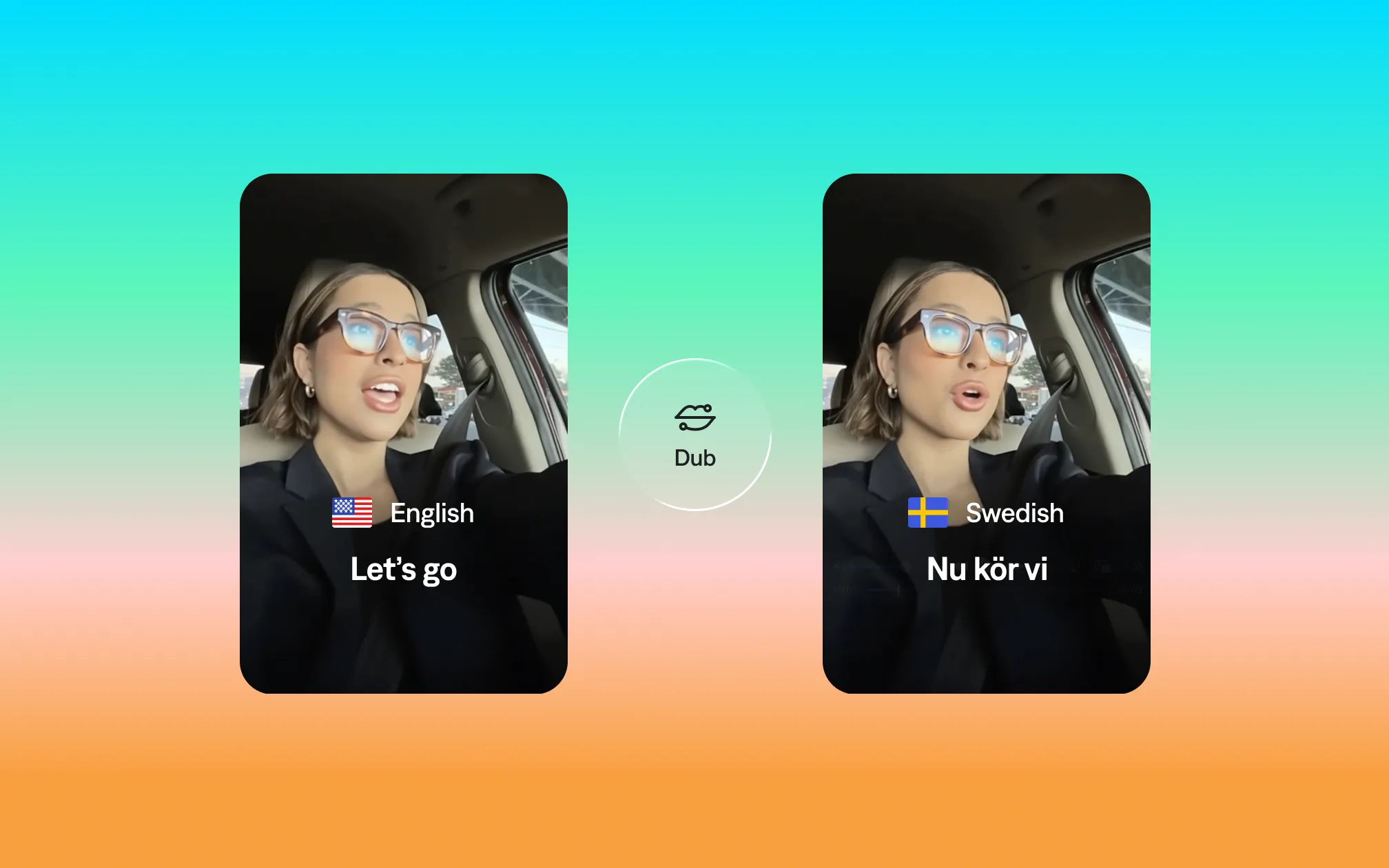
A few years ago, translating a video into another language meant hiring a voice actor, booking studio time, and waiting weeks for the finished project. For many creators and small teams, the hassle was too great to even bother.
AI dubbing has changed that equation. You can now translate and re-voice a video in dozens of languages in minutes, with output that preserves the character of the original speaker’s voice. This guide shares the basics behind how AI dubbing works, when to use it and when to pursue more traditional voiceover options.
What is AI dubbing?
AI dubbing is the automated process of replacing a video’s audio with a translated version in a different language. AI dubbing preserves much of the original speaker’s voice, tone, and delivery.
AI dubbing is technologically advanced. It transcribes the original audio into text, then uses machine learning to convert that text into a new target language. Next, it recreates the audio in the new language. More sophisticated AI dubbing tools add a fourth step, adjusting the speaker’s mouth to match the new audio.
What is the difference between AI dubbing and AI voiceover?
These terms are often used interchangeably, but they describe different things. Voiceover is typically used for new content production, while dubbing is typically used for translation and localization of existing content.
- AI voiceover generates new speech from text, typically using a pre-built synthetic voice. It’s often used for content where the speaker doesn’t appear on screen, like faceless videos and explainer videos. The voice simply speaks your script; it doesn’t replace existing audio.
- AI dubbing replaces existing spoken audio with translated audio, preserving the original speaker’s voice characteristics. It’s used when you have video with a person speaking on camera and you want to make that same video accessible in other languages.

Try it in Captions
What is the difference between dubbing and translated subtitles?
Both dubbing and subtitles are ways to make video content accessible to audiences who speak a different language. The choice involves tradeoffs in cost, viewer experience, and production complexity.
| Dubbing | Subtitles | |
|---|---|---|
| What the viewer experiences | Hears translated audio in the video’s language | Reads translated text while hearing original audio |
| Viewer effort | Lower (can watch without reading) | Higher (must read while watching) |
| Authenticity | Can feel less authentic if voice cloning isn’t high quality | Preserves the original speaker’s voice and delivery |
| Production cost (traditional) | High (voice actors, studio time, audio mixing) | Lower (translation and timing work only) |
| Production cost (AI) | Low and fast | Very low and very fast |
| Best for | Long-form content, audiences unfamiliar with subtitles, accessibility | Short-form content, audiences comfortable with subtitles, content where original voice matters |
Neither is universally better. In markets like Germany, France, and Spain, dubbing is the strong cultural preference for long-form video; in Germany alone, 61% of viewers prefer dubbed content to subtitles. In markets like the Netherlands and Scandinavia, subtitles are standard. For social media content, subtitles are often the better choice because they work on mute (which is how most social video is consumed).
Many creators use a hybrid approach. They apply AI dubbing to translate content for new markets, then add open captions for accessibility. For a full breakdown of when to use each approach, see our video localization guide.
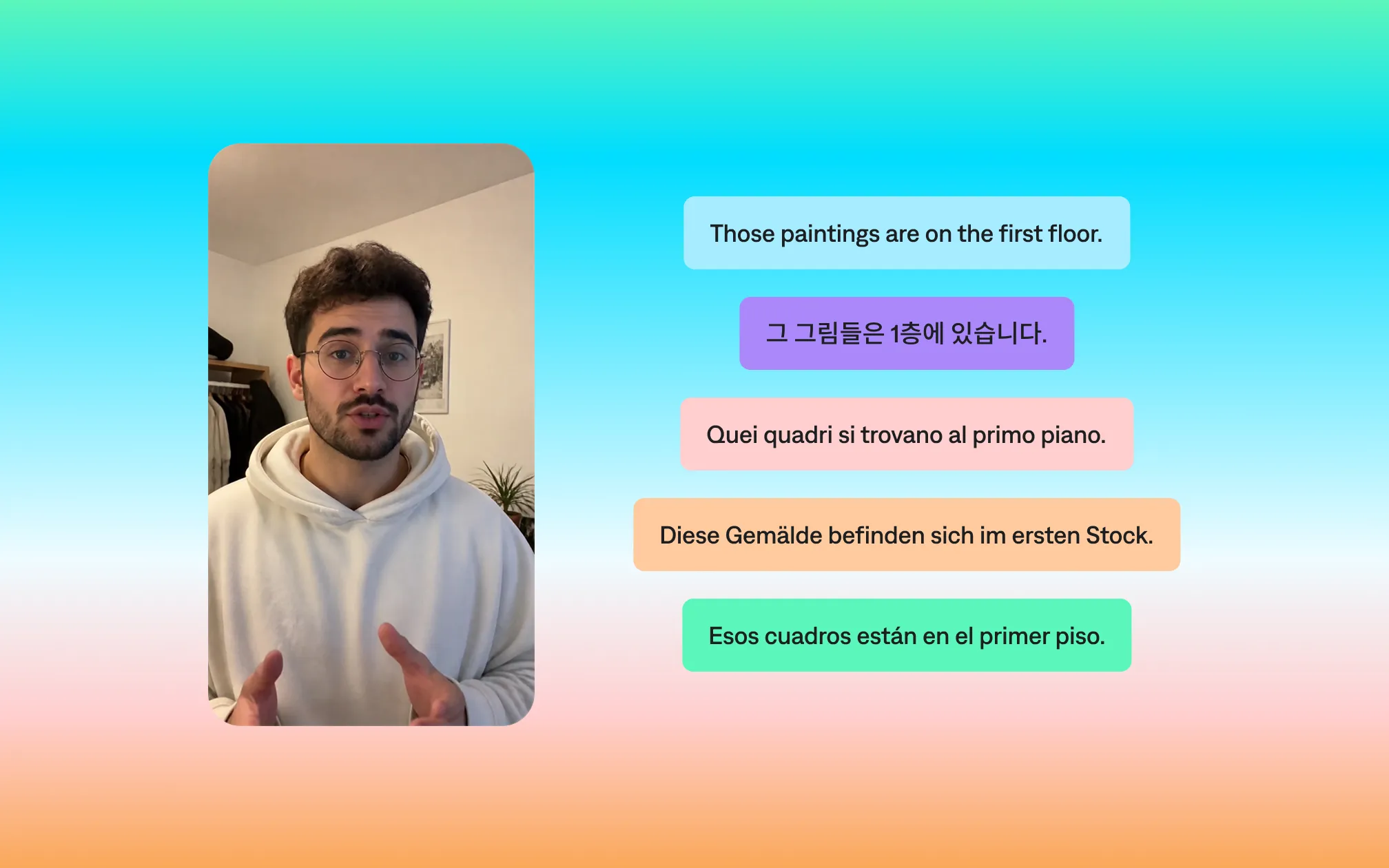
Can AI dub a video in my own voice?
Yes, and this is actually a core feature of most modern AI dubbing tools. The process is called voice cloning: the AI analyzes a sample of your speech, builds a model of your vocal characteristics, and uses that model to generate your voice speaking the translated text in the target language.
How accurate is AI dubbing?
The honest picture from user testing across tools: AI dubbing in 2026 is good enough for most professional content creation and marketing use cases. Cross-language voice consistency (where a cloned voice retains the same pitch and cadence as the original) is achievable with the best tools.
Accuracy in AI dubbing has two distinct components that are worth separating:
- Translation accuracy: How faithfully the meaning of the original is preserved in the target language. Modern translation achieves high accuracy for straightforward speech in widely supported language pairs, but degrades with idioms, humor, highly technical language, and language pairs with less training data.
- Voice preservation accuracy: How closely the dubbed voice resembles the original speaker. This varies significantly between tools and between language pairs. It impacts qualities like pitch, speaking pace and general tone. Many tools struggle with elements like accents or emotional nuance.
The importance of AI lip sync
For talking head videos where the speaker’s face is prominent, lip sync quality is the biggest factor separating good AI dubbing from distracting AI dubbing.
AI lip sync is the synchronization of the dubbed audio with the speaker’s visible mouth movements in the video. When it works well, the viewer sees mouth movements that match the translated words; when it doesn’t, the result is the uncanny valley effect familiar from poorly-dubbed film and television.
AI lip sync technology works by analyzing the original video for mouth movement patterns, then either retiming the audio to fit the existing mouth movements, or generating new mouth movements to match the new audio. At Captions, we call our syncing feature Lip Dub. It ensures that dubbed videos look more organic and realistic.
What are the limitations of AI dubbing?
AI dubbing can fall short, so make sure to check these details in any translated content.
- Idioms and humor: A pun, a reference, or a joke that works in one language may have no equivalent in another. Machine translation will produce a literal translation of the words and the AI voice will deliver it with the same confident energy with no awareness that the joke may not be funny in the translated version.
- Highly distinctive voices: The more distinctive your vocal characteristics (an unusual accent or specific rhythm) the more the voice cloning loses in translation. Generic voices clone better than highly distinctive ones.
- Background music and sound effects: AI dubbing tools work best on clean voice audio. If the original video has music or sound effects mixed with the voice, the AI has to separate them before transcribing, and that separation introduces errors.
- Lip sync quality: For close-up talking head content where mouth movements are prominent, current lip sync technology is noticeably imperfect at the consumer price point. This matters more for some content types than others.
- It doesn’t catch its own errors: If the translation is wrong, the AI delivers the wrong content confidently. This is why it’s best to always have someone who speaks the target language review dubbed content before publishing to a significant audience.
What is the best AI dubbing tool?
One important note before comparing AI dubbing tools: more languages doesn’t automatically mean better dubbing. Tools that support 130+ languages often achieve that breadth by using lower quality voice tools or generic-sounding voices. When evaluating any tool for a specific language pair, test it on that pair specifically.
| Tool | Languages supported | Noteworthy features | Best for |
|---|---|---|---|
| Captions | 30+ | Mirage audio model for voice identity preservation; integrated with full video editing, captions, and AI avatar workflow; no export-reimport cycle | Creators who want dubbing inside their existing short-form video production workflow |
| HeyGen | 175+ | AI video generation + dubbing in one platform; lip sync; SOC 2 compliant; free plan includes 3 videos/month | Teams needing video creation and dubbing in a single tool with broad language coverage |
| ElevenLabs | 30+ | Industry-leading voice cloning realism; instant and professional voice cloning tiers; strong API access | Audio-only dubbing where voice realism is the top priority |
| CAMB.AI | 140+ | Strong cross-language voice consistency; real-time dubbing mode for live content; API-first for engineering teams | Enterprise and media companies dubbing at scale through an API |
| Deepdub | 40+ | Emotion-aware synthesis; broadcast-grade quality; human review layer built into workflow | High-stakes broadcast, documentary, and streaming content |
| Rask AI | 130+ | Simple upload-and-dub workflow; transcript editing before dubbing; ~$50/month entry price | Budget-conscious creators who need broad language coverage without enterprise complexity |
For creators building a content workflow where dubbing is one piece of a broader production process, Captions is the strongest integrated option. The dubbing happens in the same tool where you edit and caption your videos, eliminating the export-reimport cycle that every standalone dubbing tool requires.
Try it in Captions
Frequently asked questions
How many languages can AI dubbing support?
It varies widely by tool; the more important question is quality per language pair, not total count. Tools with broader language coverage often use generic TTS voices for less common languages rather than true voice cloning.
The quality of dubbing into Spanish or French (high-data language pairs with strong model training) is typically far better than dubbing into less common languages, even on the same platform. Always test your specific language pair before committing to a full production run.
Can AI dubbing replace professional dubbing studios?
For most content creators and marketing use cases, yes, the quality is sufficient, and the cost difference is enormous. For broadcast-grade film, television, and high-stakes brand content where the original speaker’s voice is core to the work, professional dubbing studios still produce better results, particularly for lip sync quality and handling of culturally nuanced content.
In short: it’s true that the gap is closing, but it hasn’t closed entirely.
Is AI dubbing good enough for film and TV?
Not yet at the consumer price point for high-stakes content. For self-produced video content distributed on social platforms and streaming, the quality is generally sufficient, particularly for talking head educational and explanatory content where the lip sync requirement is less demanding.
How does AI dubbing handle accents and dialects?
This is one of the harder technical problems. Most tools handle standard accents in major languages well; regional dialects and non-standard accents are harder to clone faithfully across language pairs.
If your voice has a distinctive regional accent, it’s recommended to test your specific tool on a sample before committing to a full production dubbing run.
What should I look for in an AI dubbing tool?
- Voice preservation quality (test it on your actual voice, not a demo)
- Language support for your specific target markets
- Integration with your existing video editing workflow
- Clear data privacy policies about how your voice data is stored and used
- The ability to review and edit the transcript before dubbing begins
The last point matters more than most people realize; the transcript review step is where you catch translation errors before they’re baked into the final audio.
How do you dub a YouTube video into another language?
The workflow for dubbing an existing YouTube video with AI:
- Download the video (your own content; don’t dub content you don’t own rights to)
- Upload to a dubbing tool like Captions
- Select source language
- Review and correct the transcript (this step matters; translation errors cascade from transcription errors)
- Select target language(s)
- Review the dubbed output (check for timing issues, translation errors, and voice preservation quality)
- Export and upload (best practice: post as a separate video with the target language in the title, description, and tags for discoverability)
Pro tip: YouTube supports multiple audio tracks natively, so you can upload dubbed versions as alternate audio tracks on the same video rather than creating separate uploads. This keeps your view count and engagement unified rather than split across multiple videos, as well as helping video SEO and discoverability.