
A modern style with playful details
“Clarity” is your shortcut to a tech-inspired video editing style. Sticky note callouts bring energy and color, with animated text for extra pizazz. Apply the Clarity style in minutes with Captions’ AI Edit.
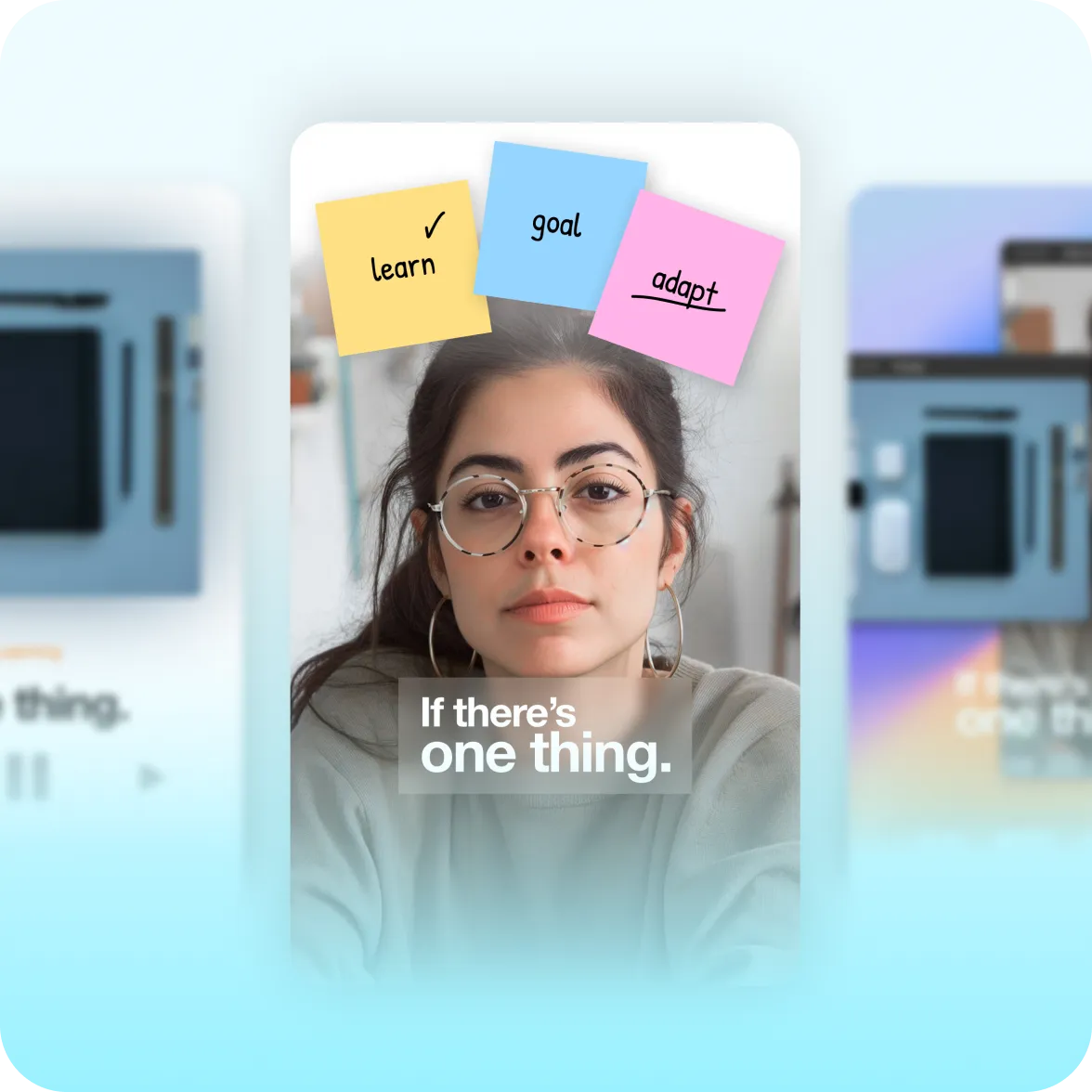
What it looks like:
Easy to follow, easy to read
Clarity’s design elements add emphasis to your message. Borrowing from the visual language of apps and tech explainers, details like toggles and sliders help keep viewers engaged.
Pops of color and movement
This bright, energetic aesthetic is perfect for short-form video. It’s especially popular for talking head video content like explainers, product demos and launch announcements.
Details that reel viewers in
Colorful sticky notes capture people’s attention and help underline your most important points. Fun details like album art add visual variety, inspiring people to watch longer.
Create it fast with Captions
AI Edit turns any clip into a complete video. Upload your existing footage, pick “Clarity” from the style library and let AI do the rest. No manual edits or complicated timelines.
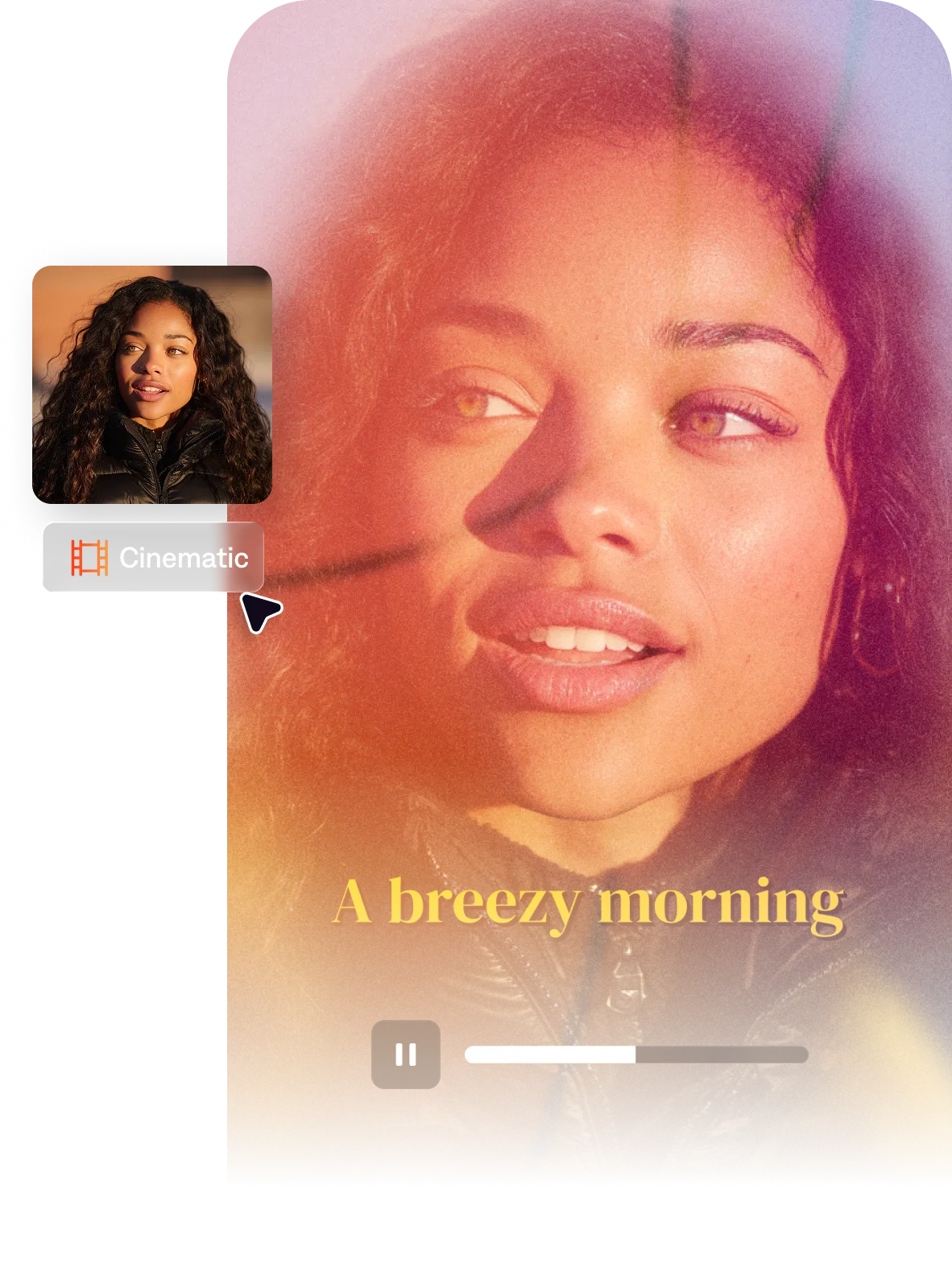
Import your video to start
By uploading a video to be edited using AI, you are agreeing to our Terms and have read our Privacy Policy.
Behind the Clarity aesthetic
Some of the most high-performing creators cracked a specific visual code that blended tech elements like app icons with their analog counterparts. Making this manually is prohibitive for most video creators, so we made a version you can apply fast.

Popular for:
Start making better videos


Frequently asked questions
When should I use the Clarity style?
Use Clarity when content needs to feel digital-native, modern, and organized. It’s popular for topics like tech reviews, app explainers, productivity tips, and SaaS or tool-related content. If your goal is more straightforward professional content without the UI-inspired design language, Focus or Recess provide cleaner business aesthetics without the tech flavor.
What is a clean UI video aesthetic?
The clean UI aesthetic in video borrows from the visual design of tech products and productivity apps, giving video content a sense of precision and intentional information design. That includes details like gradient color backgrounds, smooth kinetic transitions, sticky-note style callouts, and modern sans-serif typography.
How do text overlays and animated captions improve video retention?
Text overlays improve retention because they serve multiple viewing modes simultaneously. People watching with sound on get audio reinforced by visual text, while people watching muted get the content without sound. Even if someone is skipping the text, they still get the key point. Animated captions add visual rhythm that holds attention between cuts. The combination reduces drop-off at the start of a video and increases the likelihood of replay.
What types of content work best with a tech-influenced video style?
Tech product reviews, app demos, productivity and workflow content, SaaS and software explainers, and professional skill-sharing content benefit most from a clean UI-influenced aesthetic. The visual language signals organization, modernity, and digital fluency, all qualities that build credibility in tech-adjacent niches. It’s less effective for content that needs warmth, lifestyle aspiration, or emotional depth, where more organic and personal aesthetics perform better.